New · Anonymised dumps, cloud storage & a new dashboard

Back up, move and refresh your databases. Know exactly what changed.

FinDiff now exports and imports full database dumps, encrypted at rest, on PostgreSQL, MySQL, MariaDB, SQL Server, Oracle and SQLite, with live progress and logs, schedules, and expiring share links. Monitoring stays strictly read-only; importing is a separate, opt-in write path that you control.

Free to self-host · single Docker image · runs entirely on your own infrastructure Latest v1.1.1

findiff — demo · 2:44

Watch the demo · English voice-over, French subtitles, about 2½ minutes

6Engines for dump export & import
1Transaction per import: all or nothing
0Writes to monitored databases by monitoring
100%Self-hosted, your data stays put
NewBackup, dump export & import

Move a database between environments in minutes, and watch every step

Export any database to a dump encrypted at rest, import it into another one of the same engine, schedule both, and hand a dump to an auditor through a link that expires. Everything below runs on real data: a 163,043-row lending dataset on PostgreSQL and on Oracle.

163,043rows exported and imported
9tables per dump, keys and order respected
1.4 MBdump file, encrypted at rest
5 sOracle import, one transaction

Measured on the demo dataset shown in the screenshots below: PostgreSQL production to staging, and Oracle production to staging.

  1. 1Export

    Pick a database and all tables or a selection. FinDiff only reads.

  2. 2Check

    A dry run verifies the dump and compares it with the target schema. Nothing is changed.

  3. 3Import

    Append or replace, in one transaction. Any error rolls everything back.

  4. 4Automate & share

    Schedules with retention, and share links with a limit, an expiry and an emailed code.

Export

Pick the tables, start, and keep working

Export one table or the whole database. The table list is read live, with the owner shown for Oracle, and the job runs in the background so you can close the page and come back.

  • Every engine: PostgreSQL, MySQL, MariaDB, SQL Server, Oracle, SQLite
  • Tables are written parents first, so foreign keys are satisfied on import
  • The stored dump is encrypted at rest and verified end to end before any import
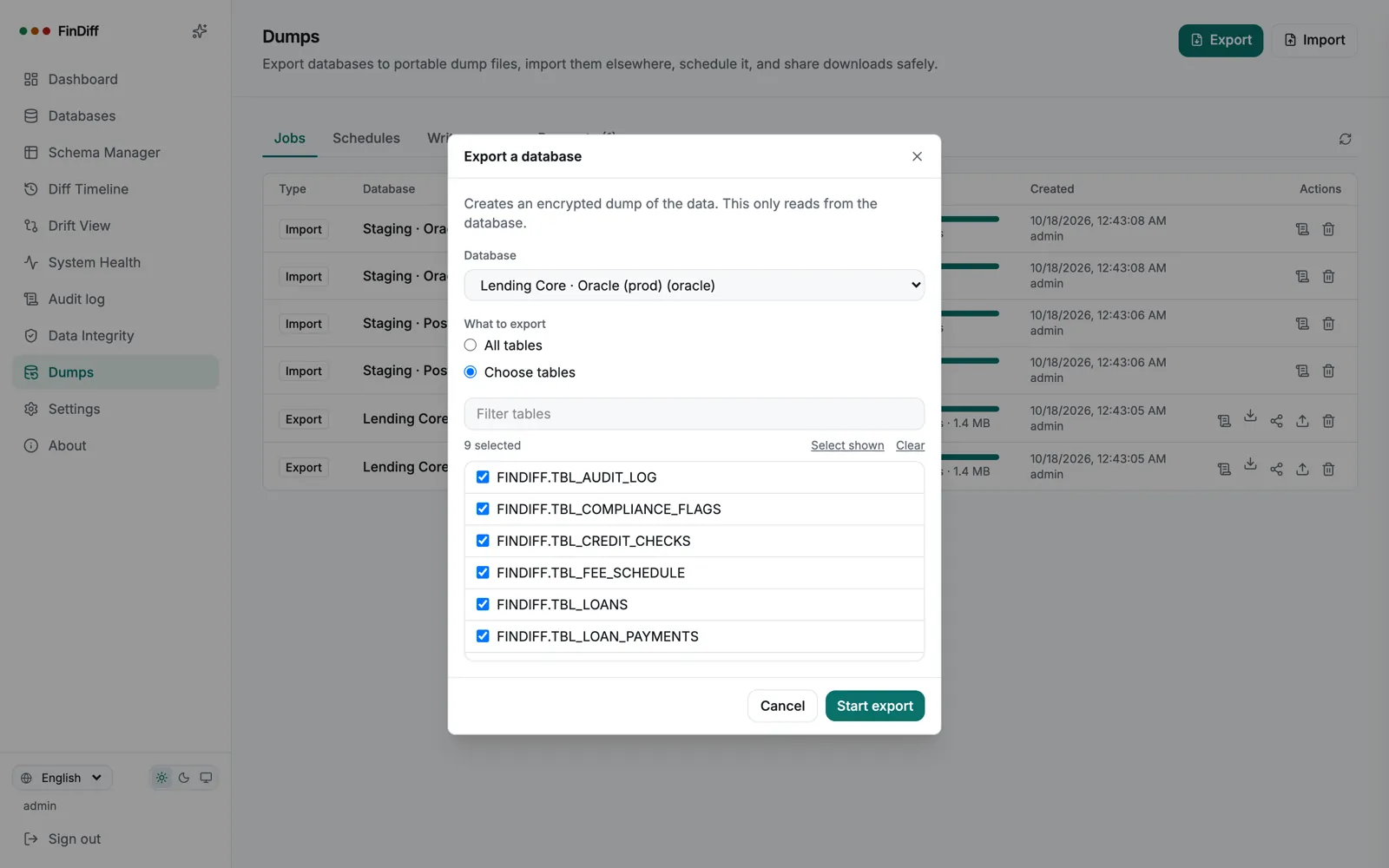
findiff — Export a database
Export dialog for the Oracle production database with its FINDIFF tables selected
Check first

Dry run before anything is written

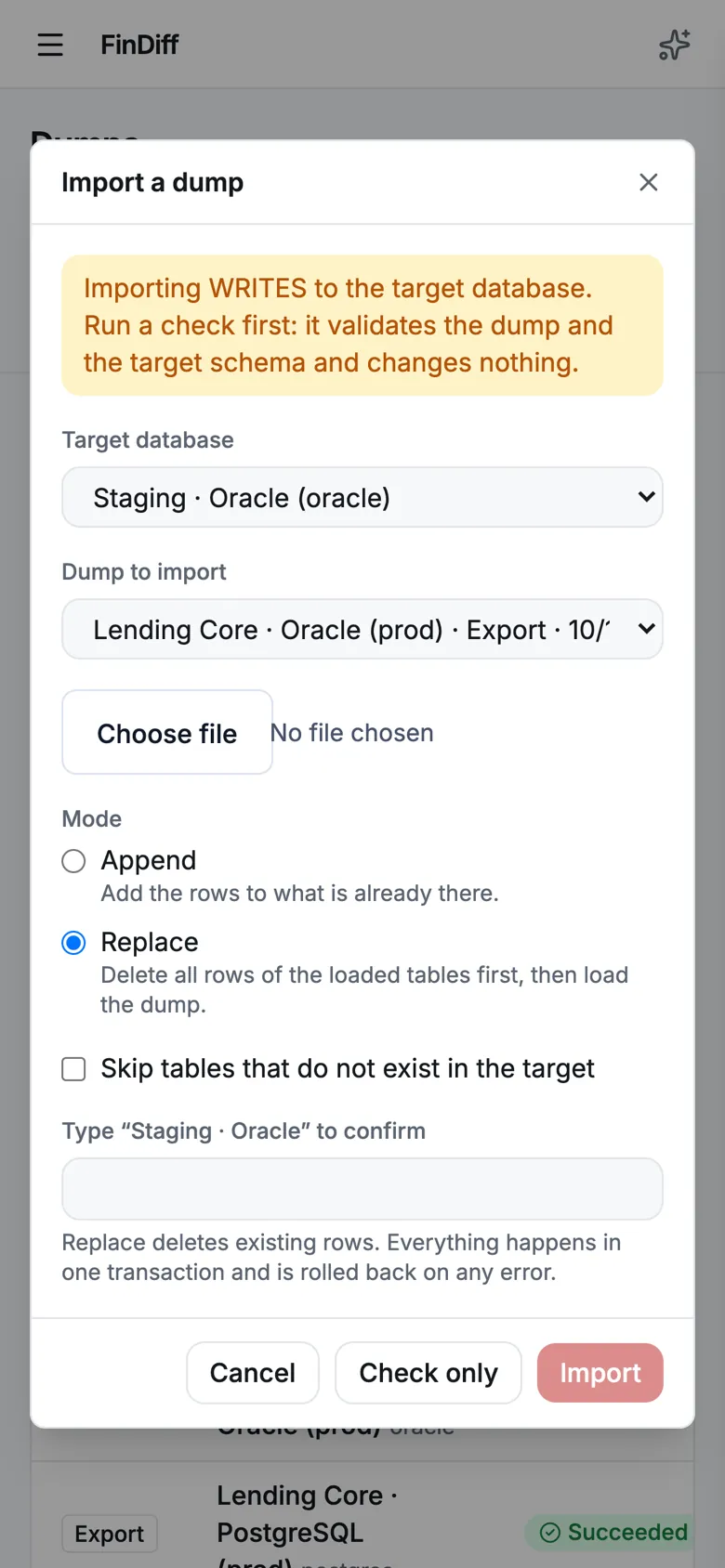
Importing writes, so the wizard says so up front and offers a check that validates the dump and the target schema and changes nothing. Replace mode asks you to type the database name before it deletes a single row.

  • Append the rows, or replace: delete the loaded tables first, then load
  • Typed confirmation for replace, and import is admin-only
  • Missing tables, columns and ordering problems are reported in the dry run
  • Tables the target lacks can be created from the dump: types, keys, indexes and foreign keys travel with it
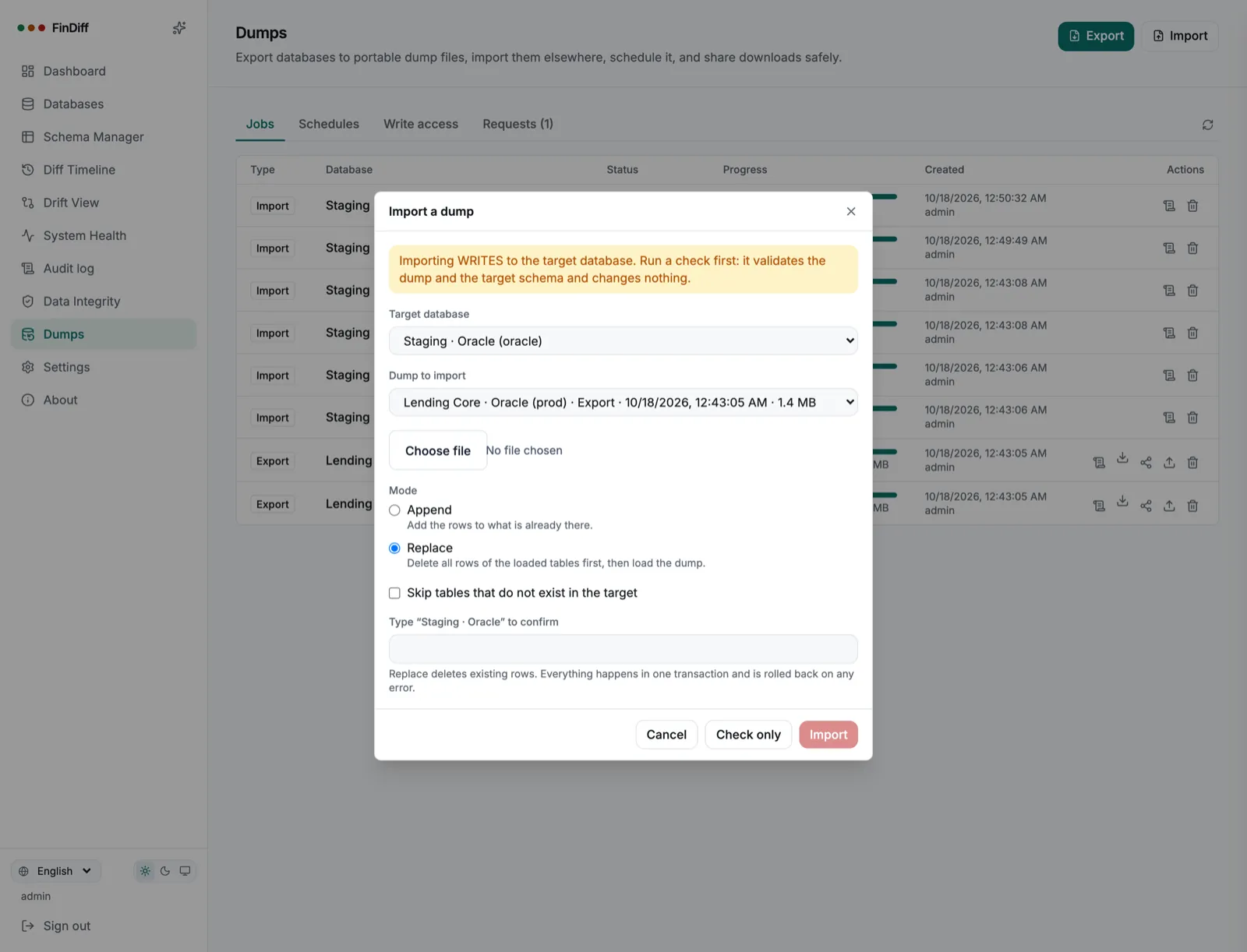
findiff — Import a dump
Import wizard targeting the Oracle staging database in Replace mode with typed confirmation
findiff — Dry run
Dry run log listing each FINDIFF table mapped to its FINDIFF_STG target with row counts
Live progress & logs

Watch it happen, line by line

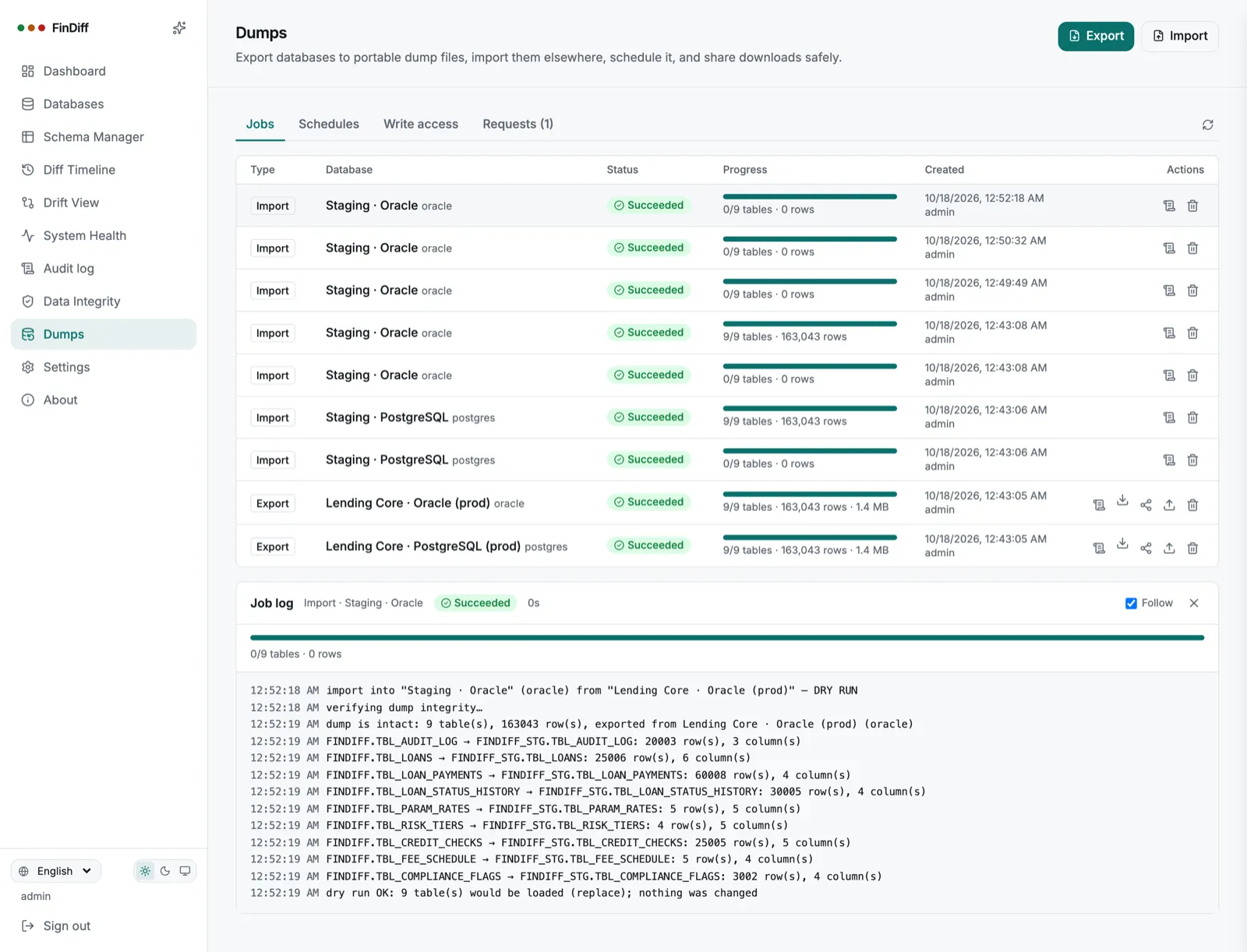
Every job has a live log and a progress bar over a streaming connection. It resumes if the page reloads, and the full log stays with the job afterwards. Here is the real log of the Oracle import: nine tables cleared and loaded in one transaction.

  • Per-table row counts as they load, with timestamps
  • Warnings you can act on, for example that Oracle sequences are not advanced
  • Cancel a running export, or delete a finished job and its file
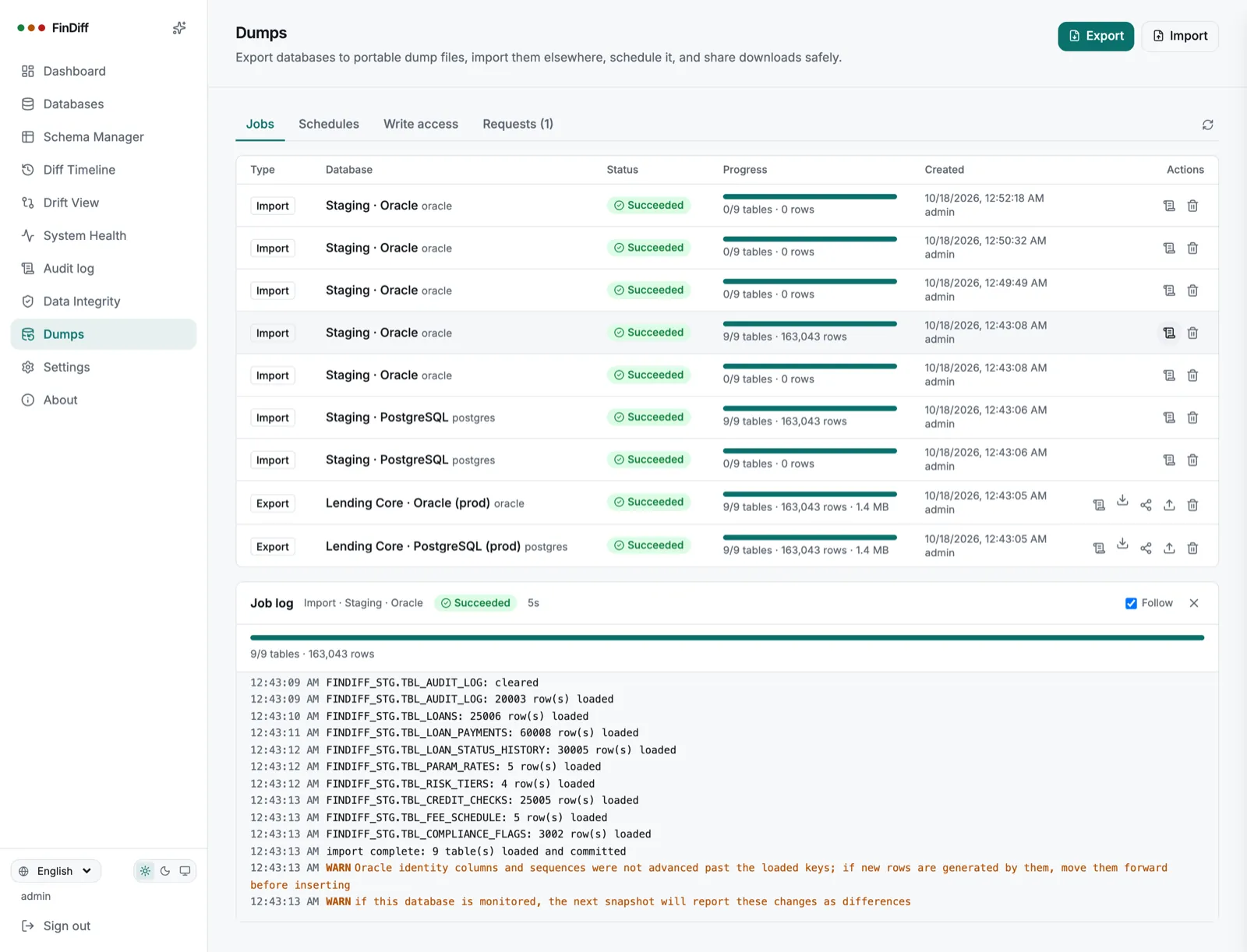
findiff — Job log
Live job log of an Oracle import loading nine tables and committing
Schedules & write access

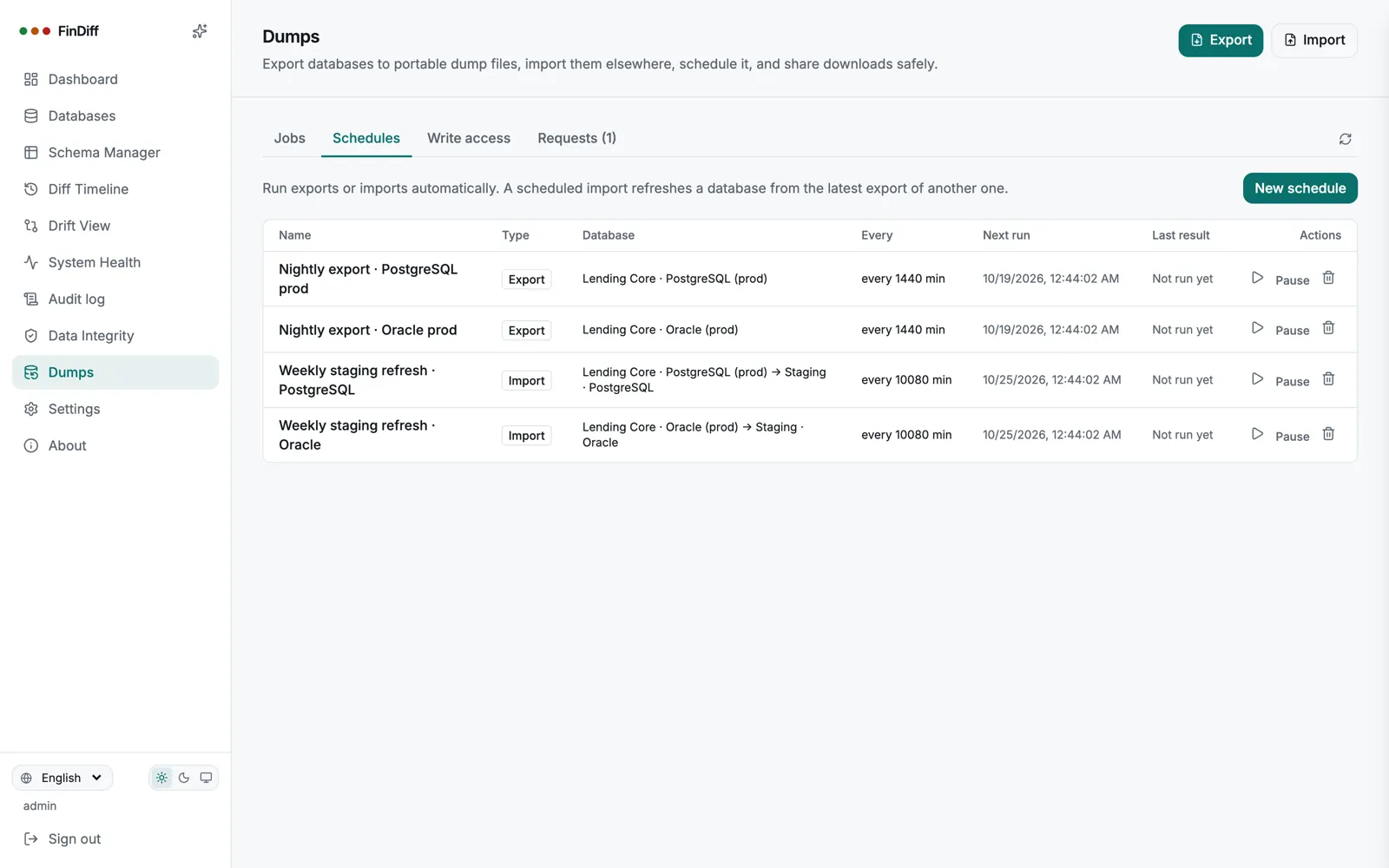
Nightly exports and weekly staging refreshes

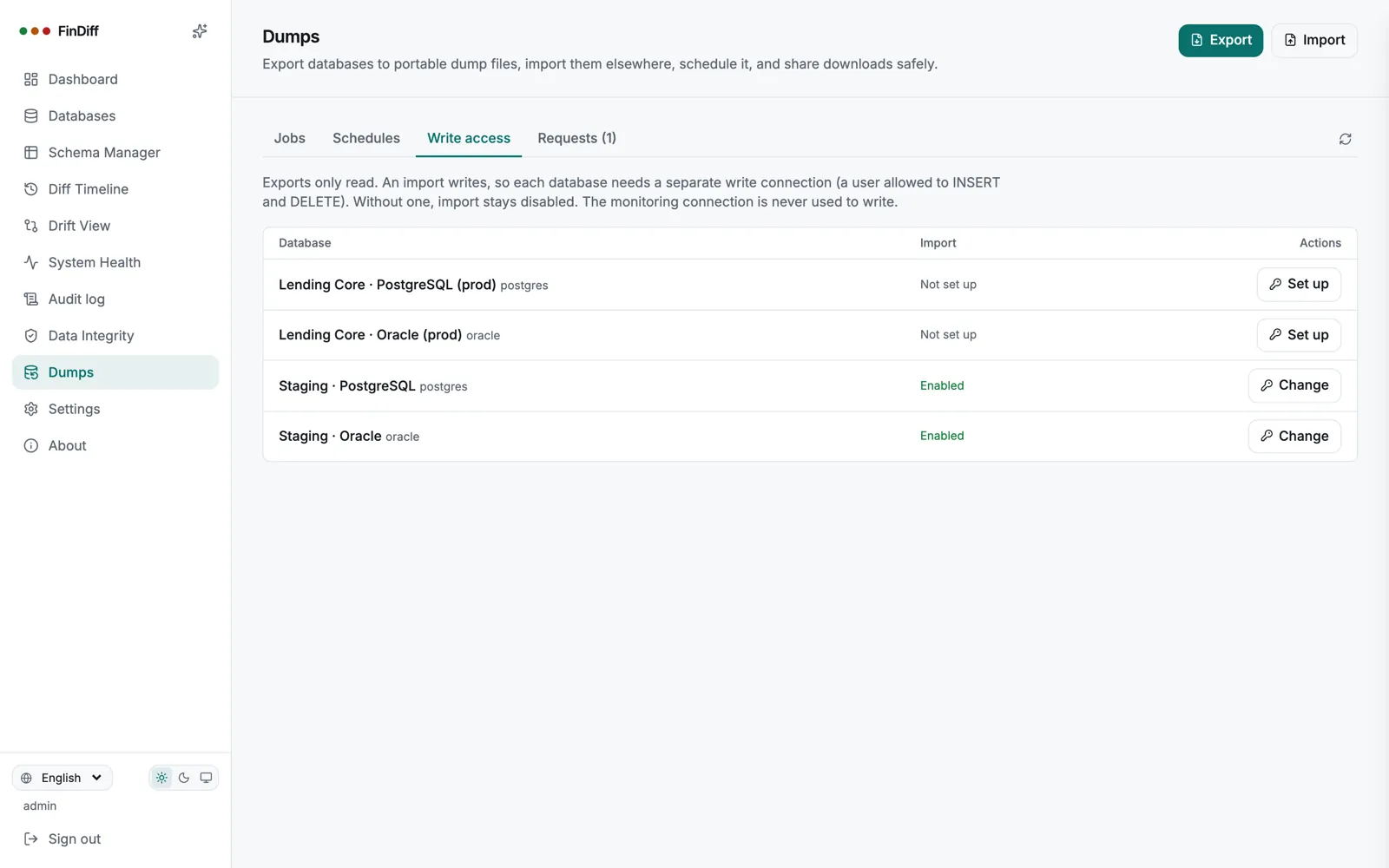
Schedule an export every night with retention, or refresh staging from production every week. Imports only work on databases where an administrator has set up a separate write connection; the monitoring connection is never used to write.

  • Intervals from 5 minutes, keep the last N dumps, run now, pause
  • A scheduled replace needs the same typed confirmation as a manual one
  • Write access is per database, and off by default
findiff — Schedules
Schedules tab with nightly exports and weekly staging refreshes for PostgreSQL and Oracle
findiff — Write access
Write access tab showing staging databases enabled and production not set up
Share links & approvals

Give an auditor a dump, without giving them an account

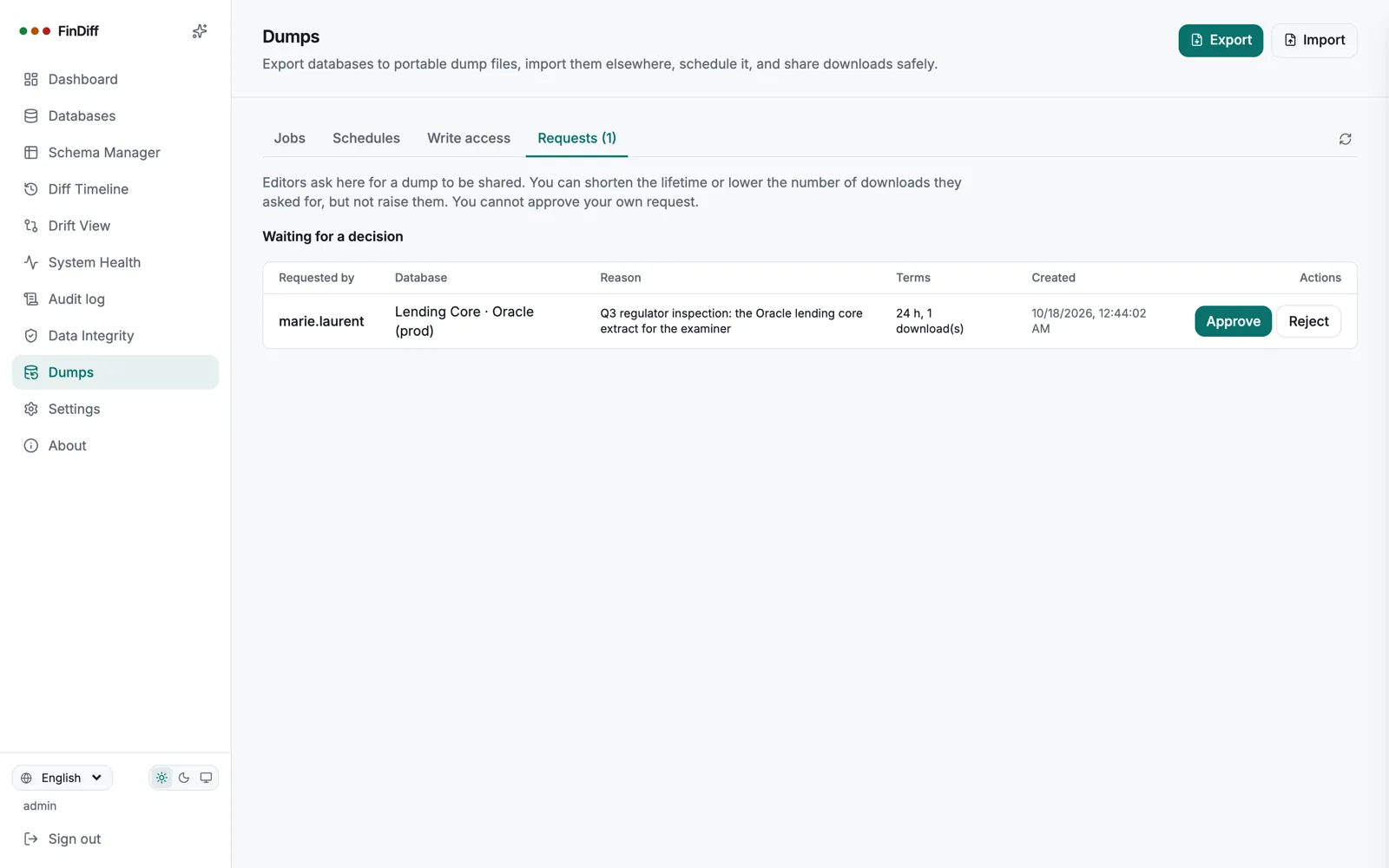
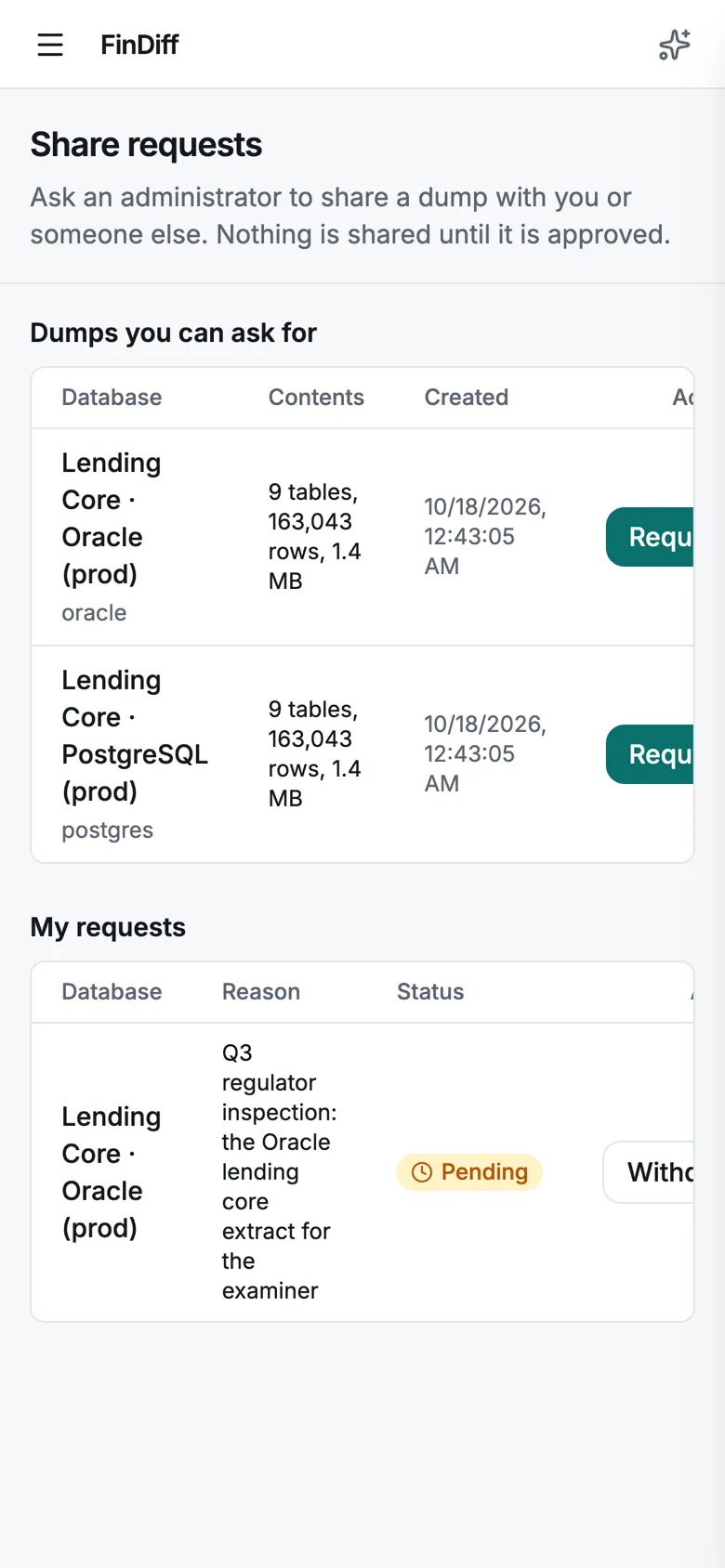
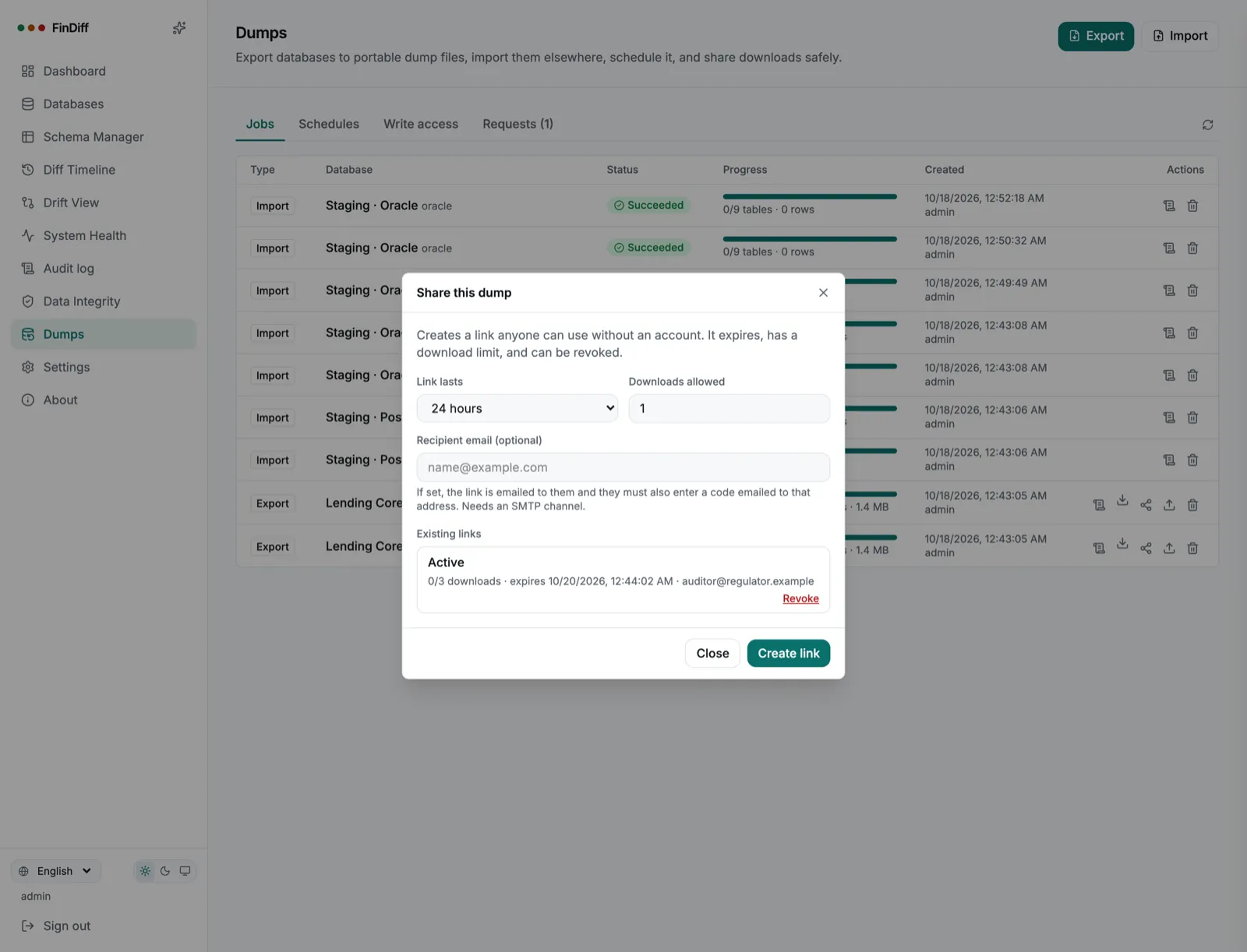
Create a link that expires, allows a fixed number of downloads and can be revoked. Add a recipient and they must also enter a code emailed to that address. Editors cannot create links themselves: they ask, with a reason, and an administrator approves.

  • Expiry, download cap, revoke at any time; the token is never shown again
  • Optional emailed code, using your own SMTP channel
  • A download is the plain dump file, so treat a link like the data itself
  • Approval flow with a reason, and nobody approves their own request
findiff — Share this dump
Share dialog with lifetime, download limit, recipient email and an existing active link
findiff — Requests
Requests tab with a pending request from an editor and Approve and Reject buttons
The recipient’s side

A plain page, no account needed

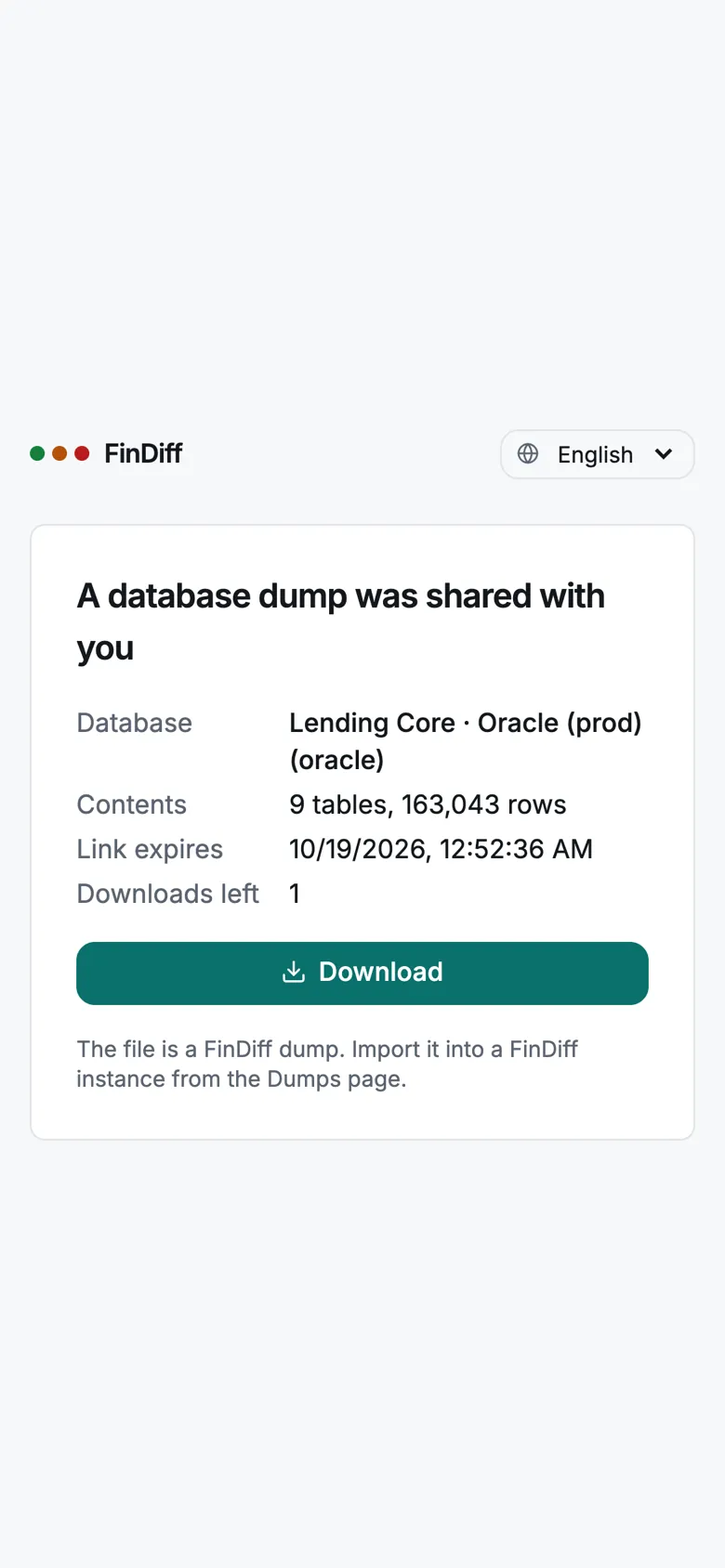
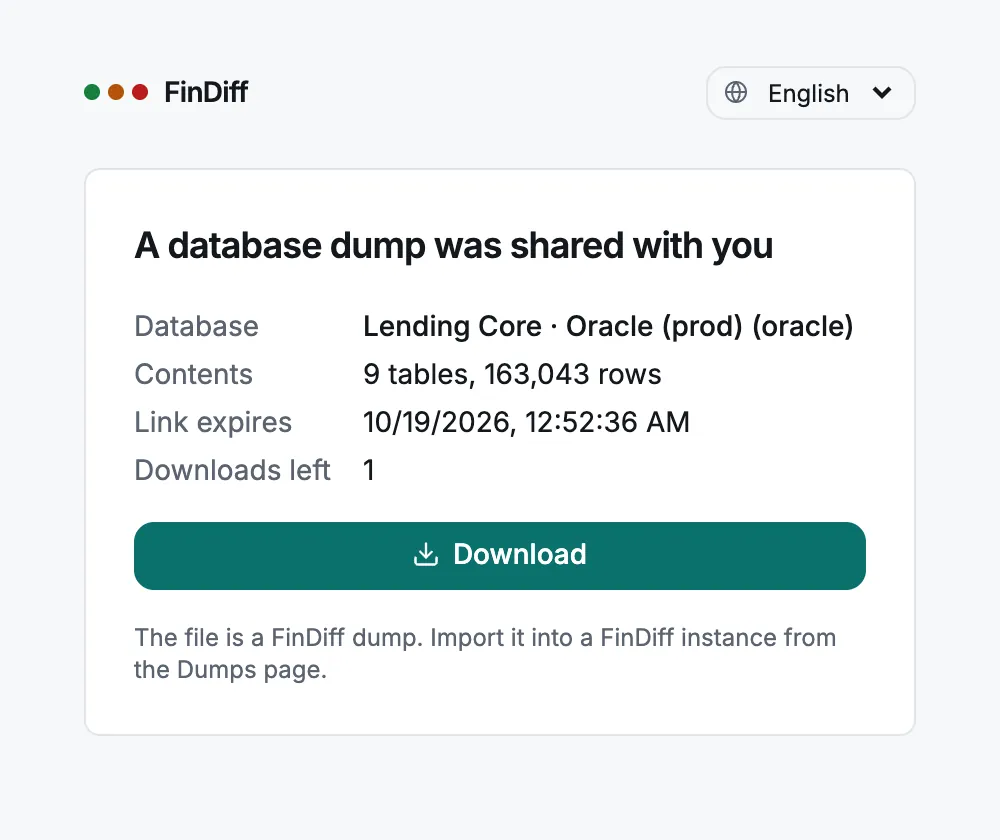
The link opens a small public page that says what it contains, when it expires and how many downloads are left. The file is a FinDiff dump that can be imported from the Dumps page of any instance.

  • Works on a phone as well as a desktop
  • No FinDiff login, and nothing else on the instance is exposed
findiff — Shared dump
Public page for a shared dump showing database, contents, expiry and a Download button
The shared dump page on a phone
Monitoring stays read-only

The statement guard and read-only role are unchanged. Import uses its own connection that you add per database.

All or nothing

An import is a single transaction. If anything fails, the target is exactly as it was.

Everything is audited

Exports, imports, shares and approvals land in the audit log with who did it and when.

Oracle, a first-class engine

Same workflow, Oracle-aware details

Oracle is not an afterthought here. The screenshots in this release run against a real Oracle 23ai database, with the same 163,043 rows as on PostgreSQL and identical data-quality results.

  • Connect with Service Name or SID, and a scoped read-only user per schema
  • Tables are listed by owner, and a dump from one schema loads into another (production schema to staging schema)
  • A dry run refuses a dump that would collapse two schemas into one target table, before writing anything
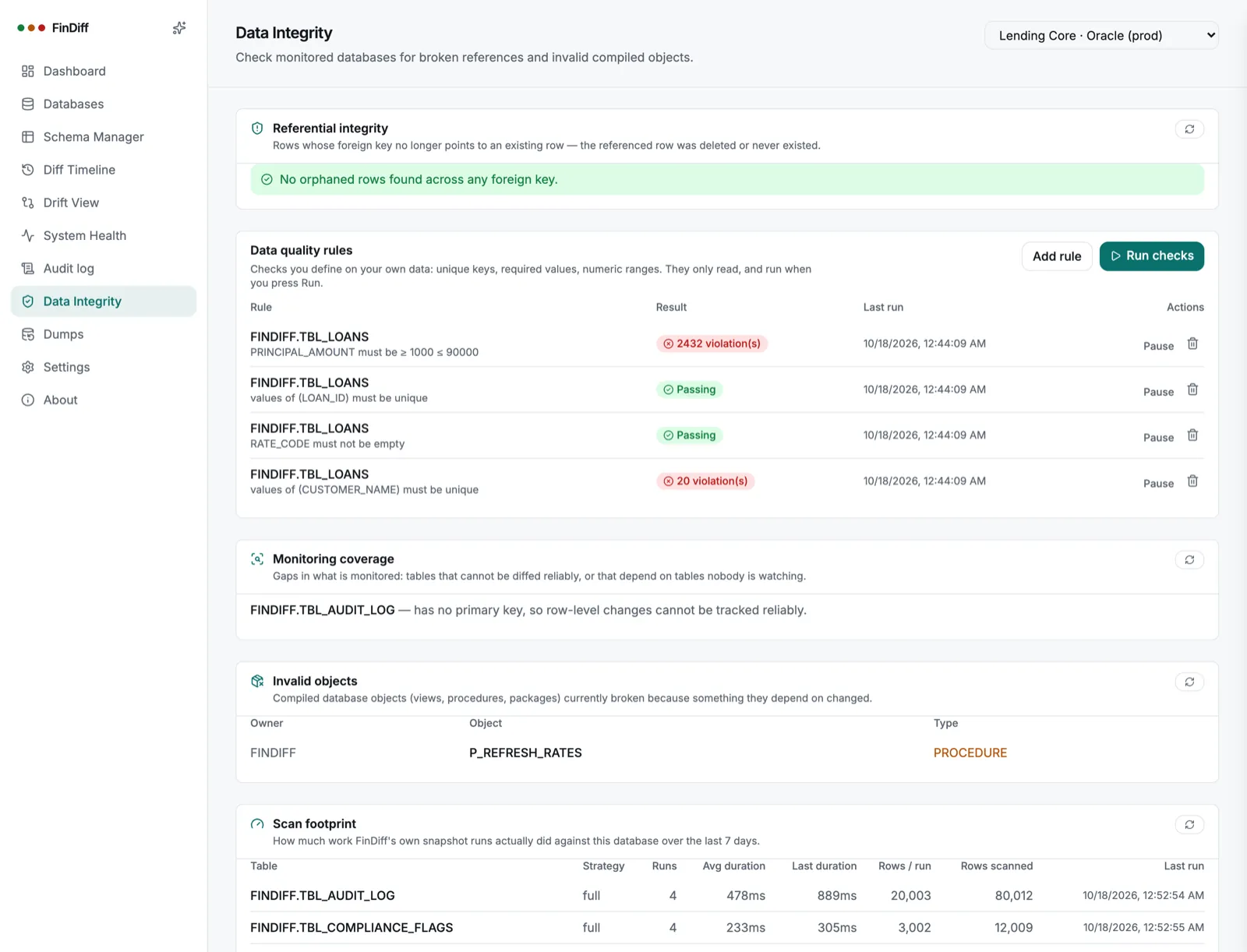
  • Invalid objects lists your own broken procedures and views, not Oracle’s internal ones
  • Honest warnings: Oracle identity columns and sequences are not advanced after an import
findiff — Data Integrity (Oracle)
Data Integrity page for Oracle with data quality rule results and an invalid procedure
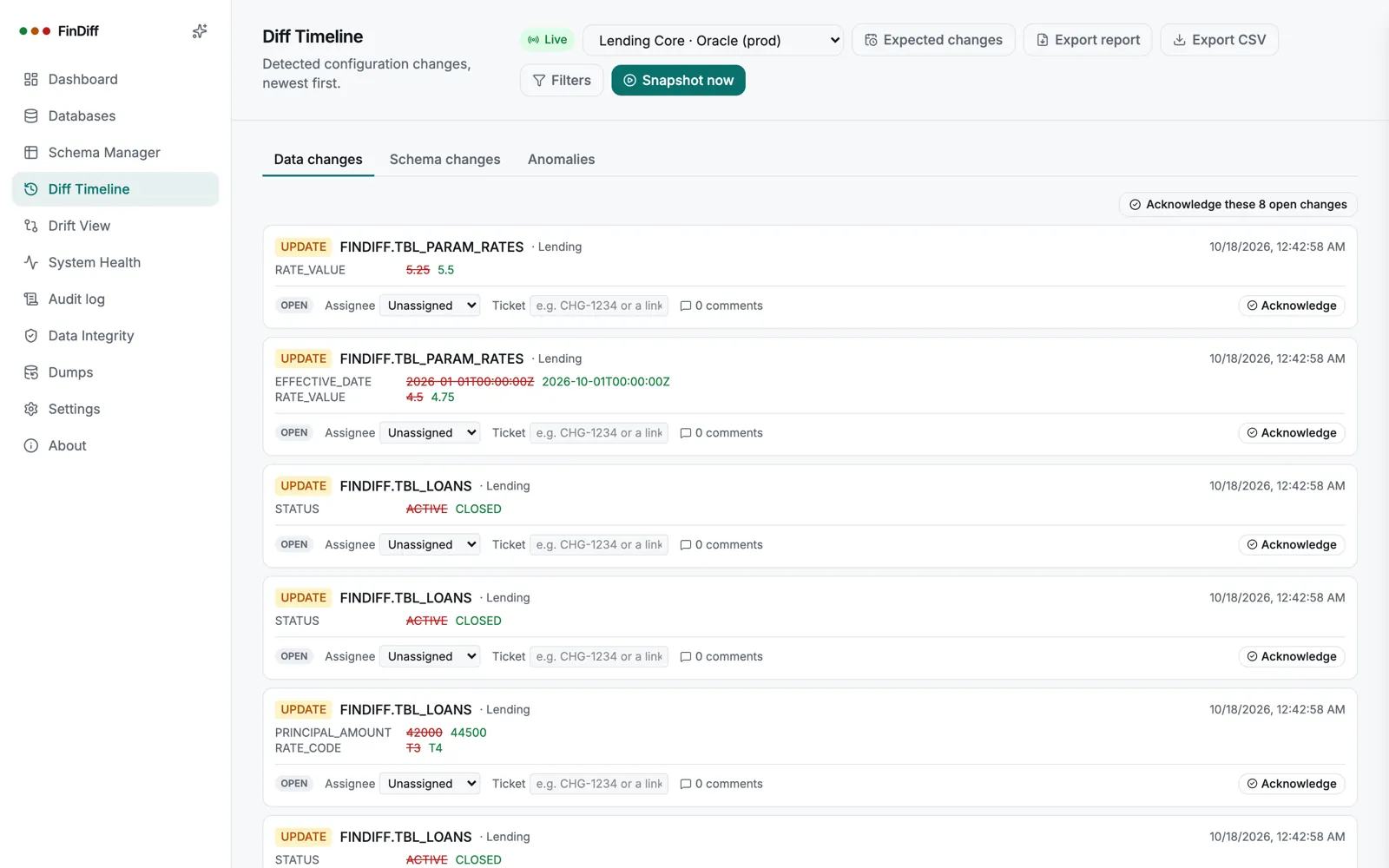
findiff — Diff Timeline (Oracle)
Diff Timeline for the Oracle production database showing detected updates with old and new values
EngineExportImportGood to know
PostgreSQLYesYesKeys are read from the catalog, so a SELECT-only role still gets parents-first ordering
MySQLYesYesBinary-log change feed available for monitoring
MariaDBYesYesSame binary-log change feed as MySQL
SQL ServerYesYesNative change tracking for monitoring
OracleYesYesOwner-qualified table lists; new tables get their identity advanced, existing ones need a manual step
SQLiteYesYesHandy for local copies and tests

Import runs on the same engine as the dump. Cross-engine type mapping is not supported yet.
Read the setup guide for dumps →

NewMobile

The whole product, on a phone

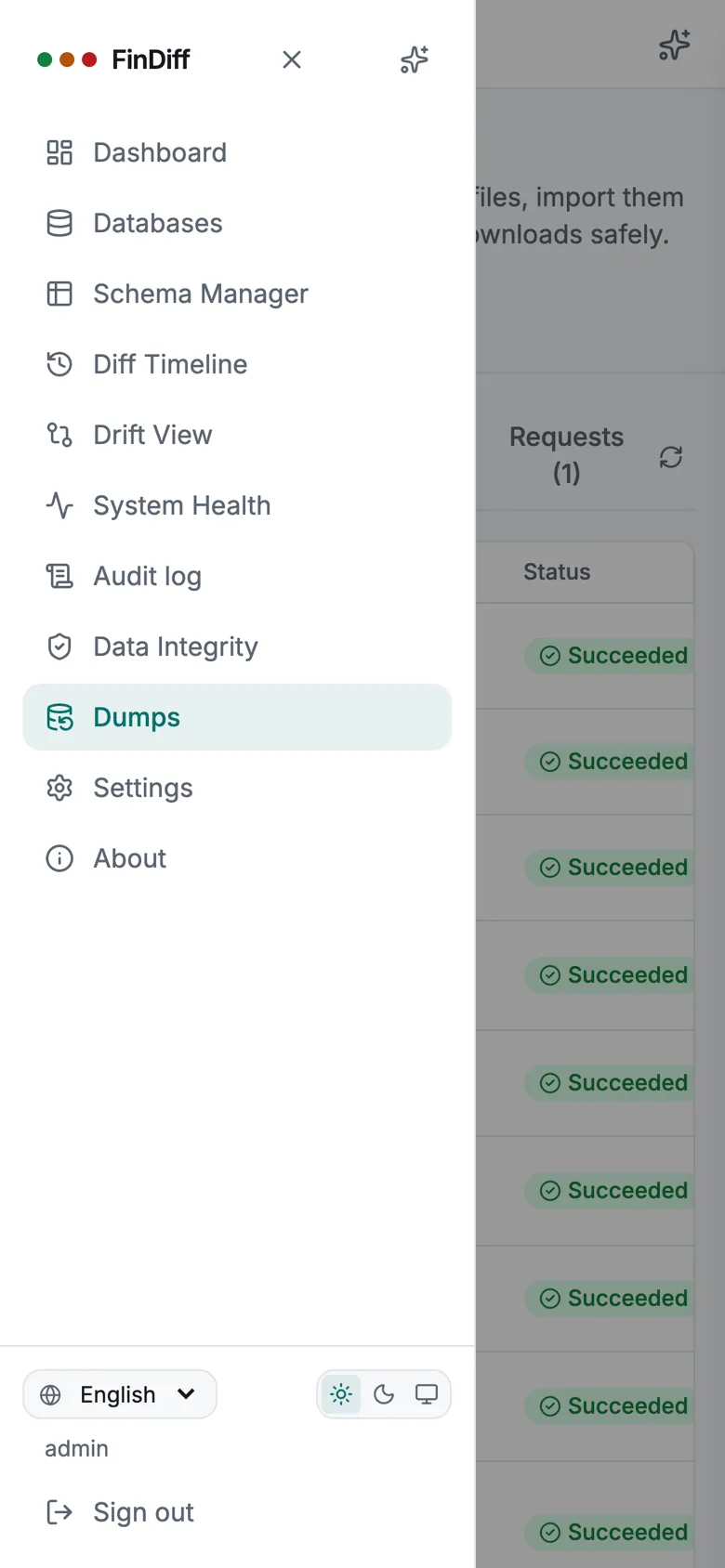
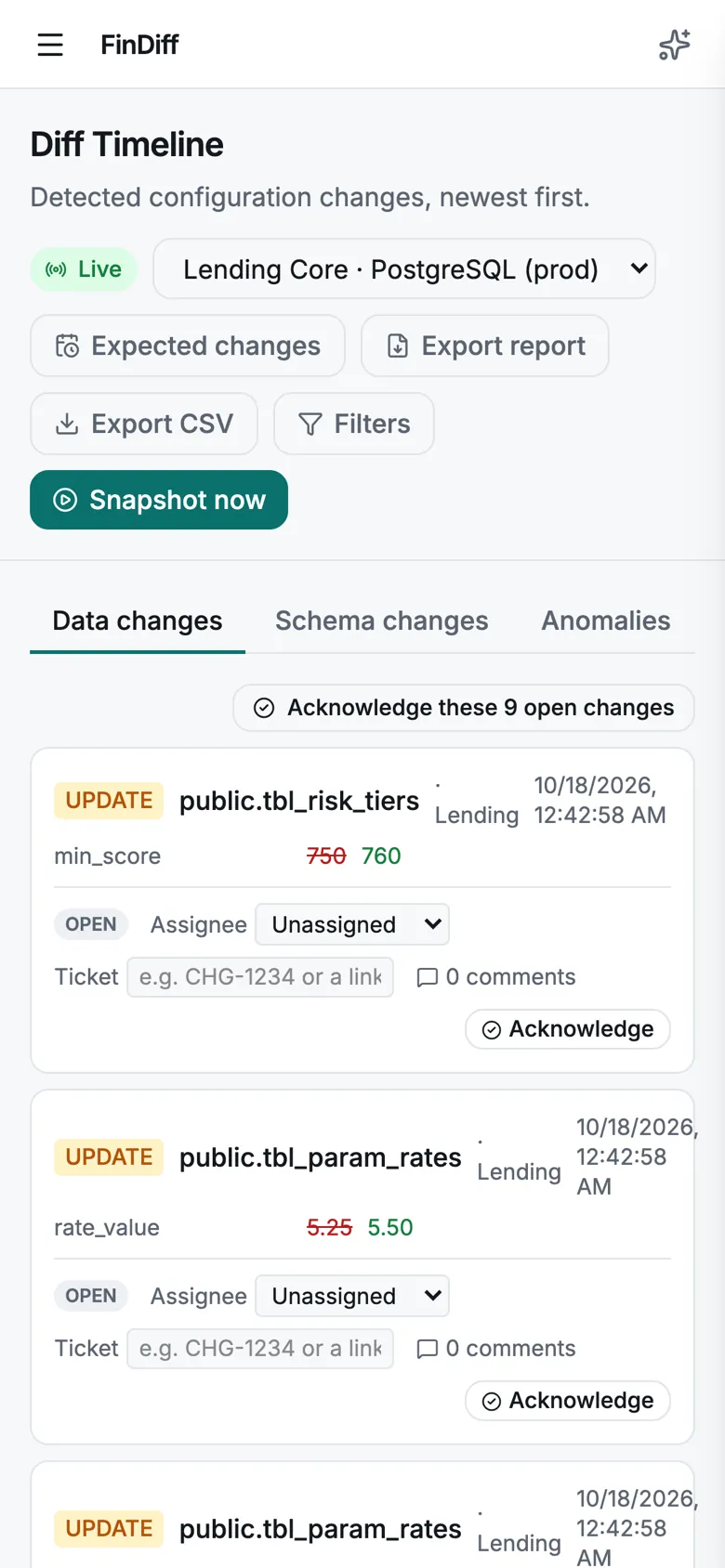
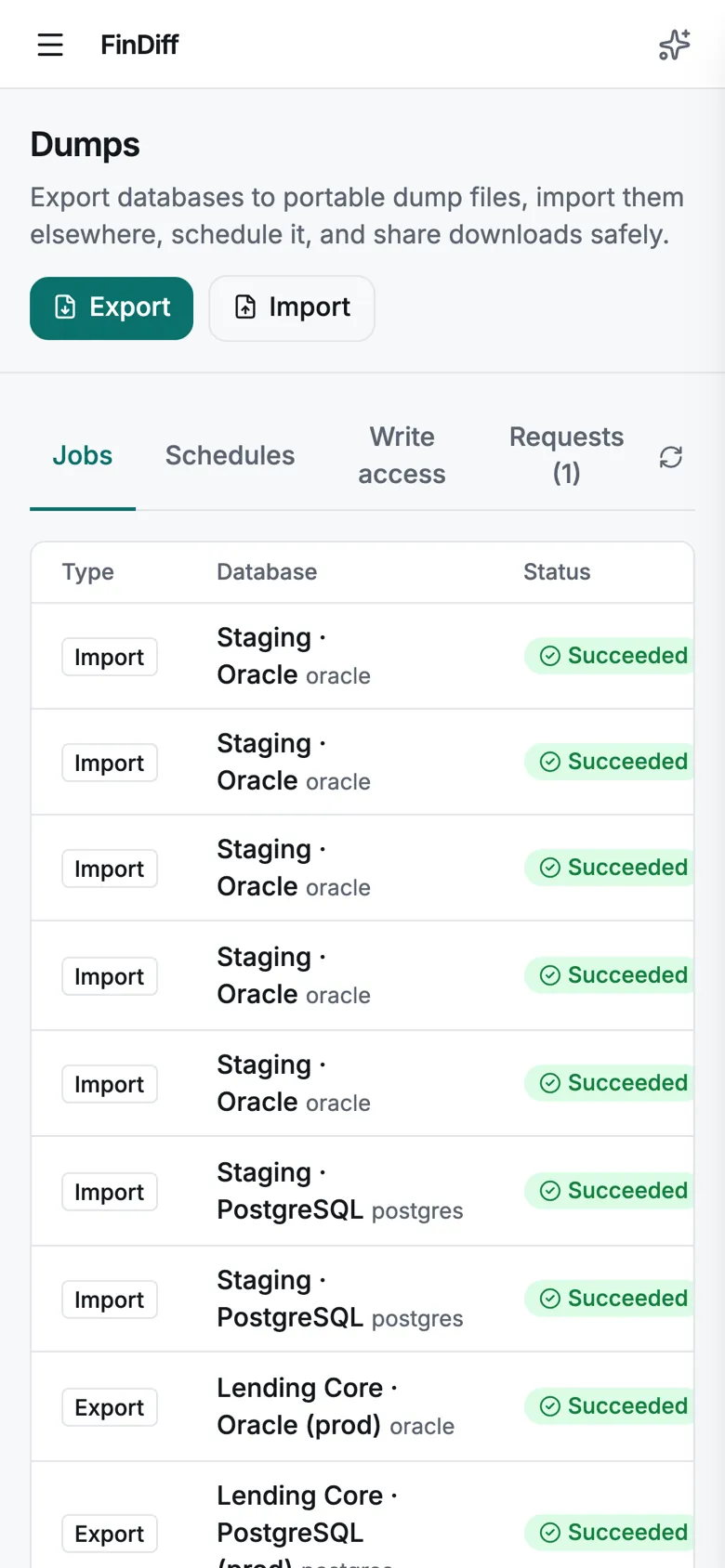
A responsive interface with a slide-in menu, tables that scroll inside their card, and dialogs that fit a small screen. Approve a share request or check a dump from anywhere. Tap a phone to enlarge it.

Dumps jobs on a phone
Dumps: every job and its status
Import wizard on a phone
Import wizard with replace confirmation
Navigation drawer on a phone
Navigation drawer
Diff Timeline on a phone
Diff Timeline: old and new values
Data Integrity on a phone
Data quality rules and integrity
New dashboard on a phone
New dashboard
Anonymised export on a phone
Anonymise before you share
Storage destinations on a phone
Storage destinations
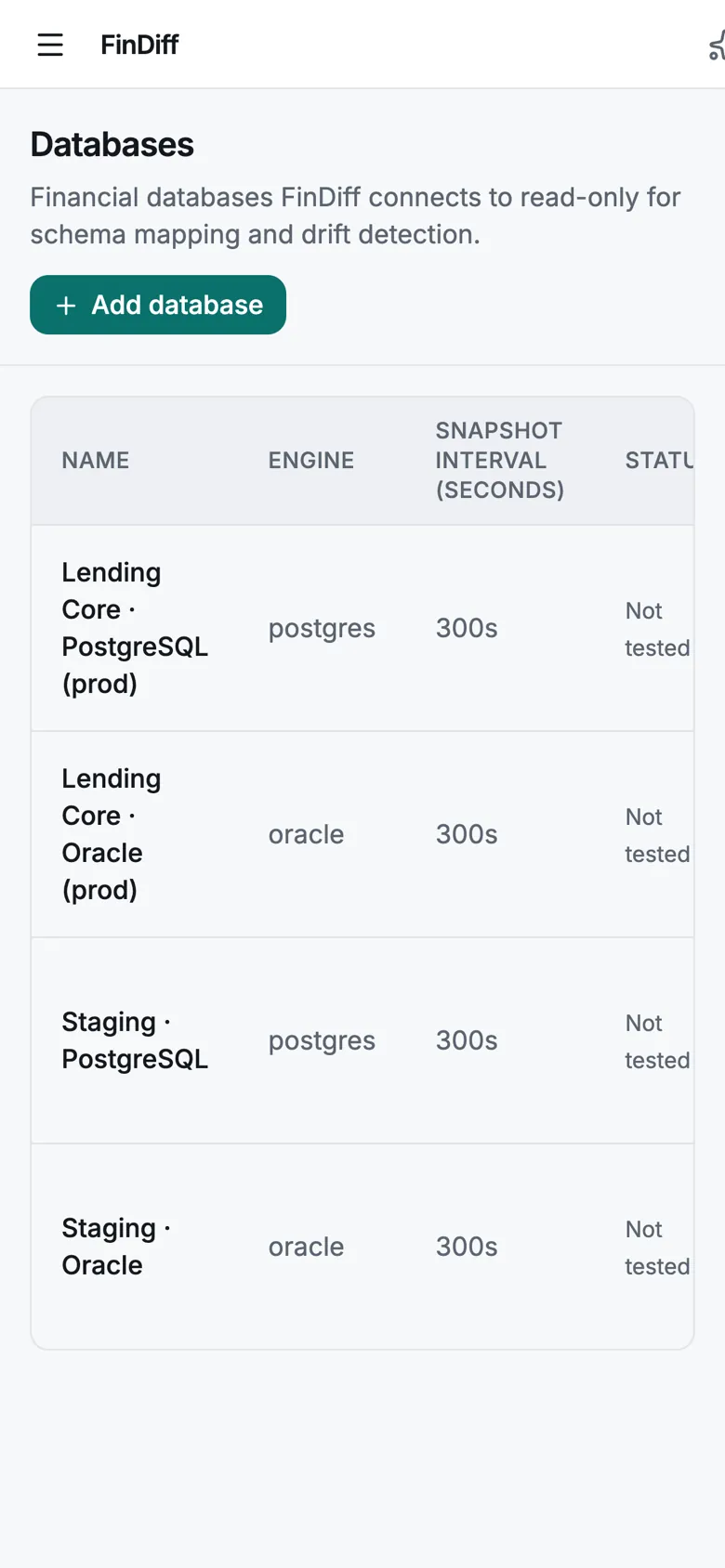
Databases on a phone
Databases
Share requests on a phone
Editors request a share link
Shared dump page on a phone
The public download page
NewEverything in this release

Anonymised dumps, cloud storage, a new dashboard and update notices

This release lets you share data without the personal parts, send dumps to S3, Azure, SFTP or a NAS, and see your estate at a glance. It also adds single sign-on, two-factor sign-in, roles, an audit log, scheduled compliance reports, data quality rules and exact change feeds for large tables.

Share without worry

Anonymise personal data before a dump leaves your hands

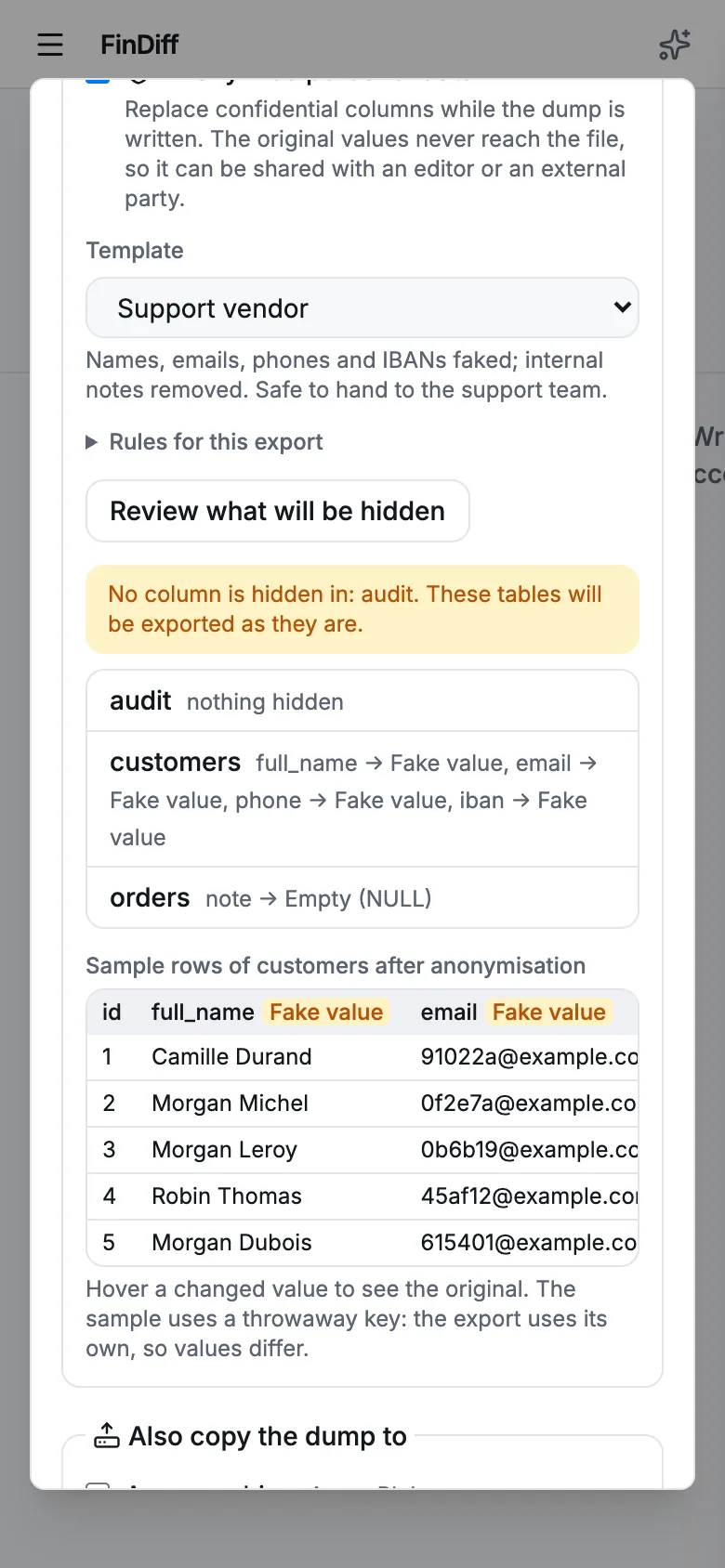
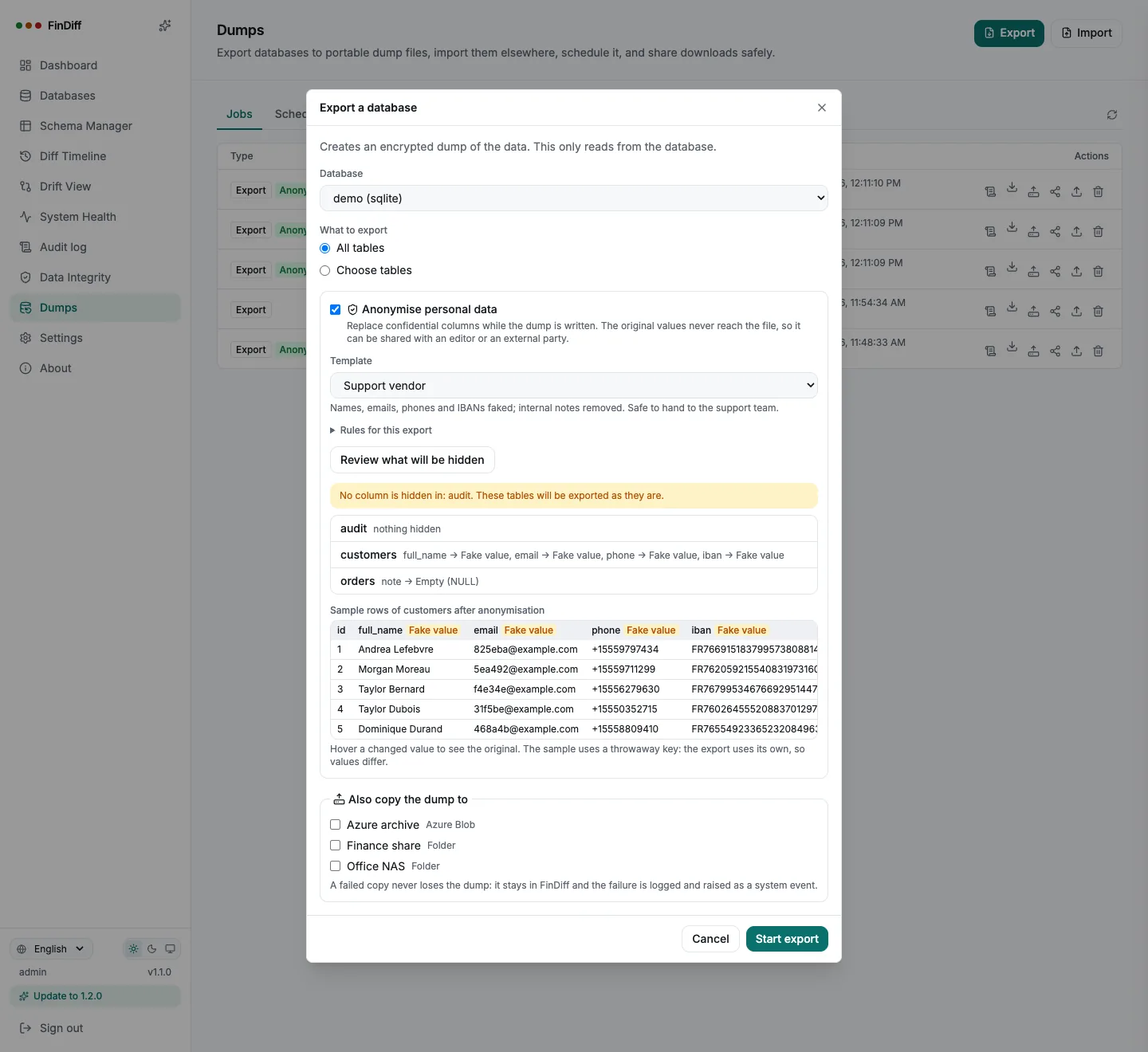
Companies often need to give an editor, a vendor or an auditor a copy of the data without the confidential parts. Tick Anonymise in an export, pick a template, and the personal columns are replaced while the dump is written: the original values never reach the file.

  • Per-column rules: realistic fake names, emails, phones and IBANs, hashes that keep the same shape, masks, empty values
  • Joins keep working: the same input gives the same output in one export, and hashed keys never collide
  • Review before you share: every table and the action each column gets, a warning for tables where nothing is hidden, and real sample rows
  • Built-in Personal data template for common column names, plus your own saved templates
findiff — Export with anonymisation
Export dialog with an anonymisation template, the list of hidden columns and sample rows of fake values
Templates

Write the rules once, reuse them for every handover

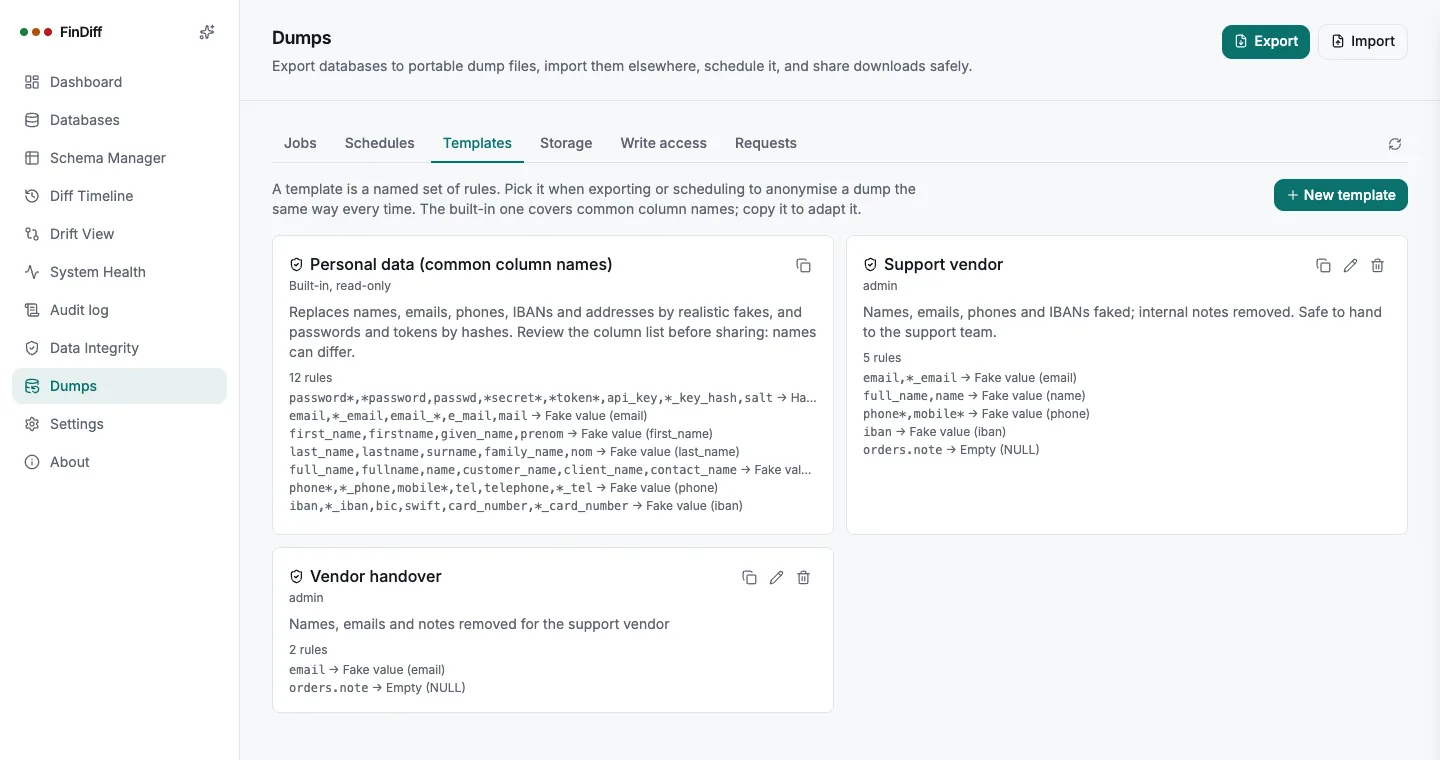
A template is a named set of rules. Pick it in a manual export or in a schedule, and the same people get the same protection every night. A schedule always uses the template as it is today, so fixing a rule fixes every future dump.

  • Rules by table and column pattern, first match wins, with exceptions
  • Used by name in schedules: a template in use cannot be deleted by accident
  • Exports are badged Anonymised in the job list, and the dump header records it
findiff — Templates
Anonymisation templates page with the built-in Personal data template and a custom Support vendor template
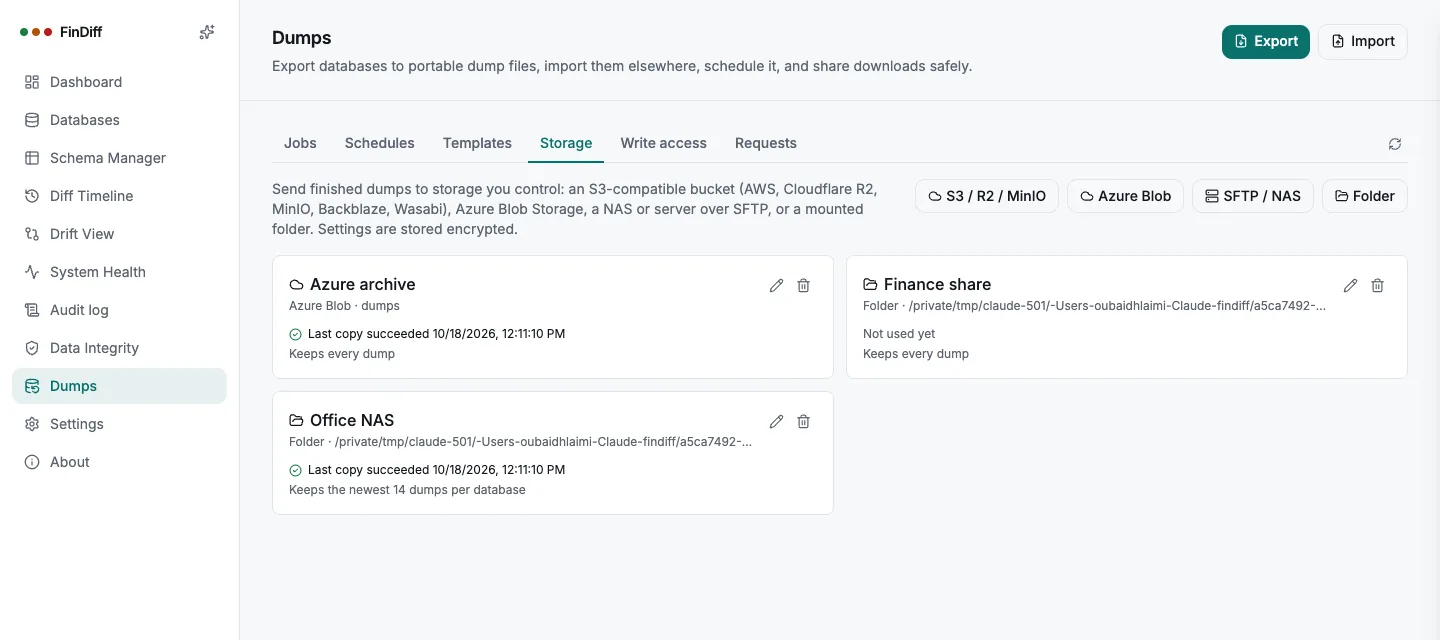
Storage

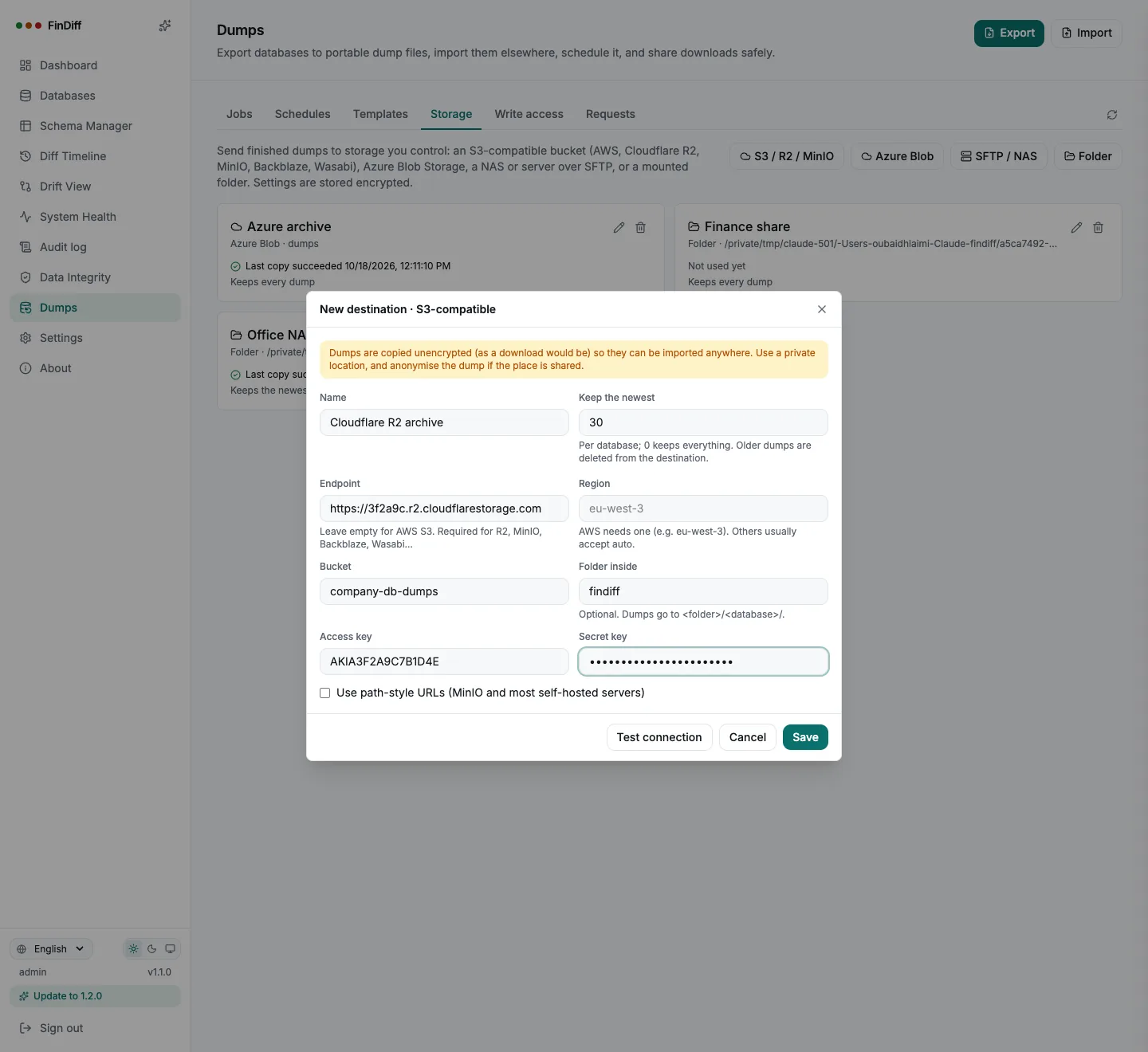
Send dumps to your own storage, automatically

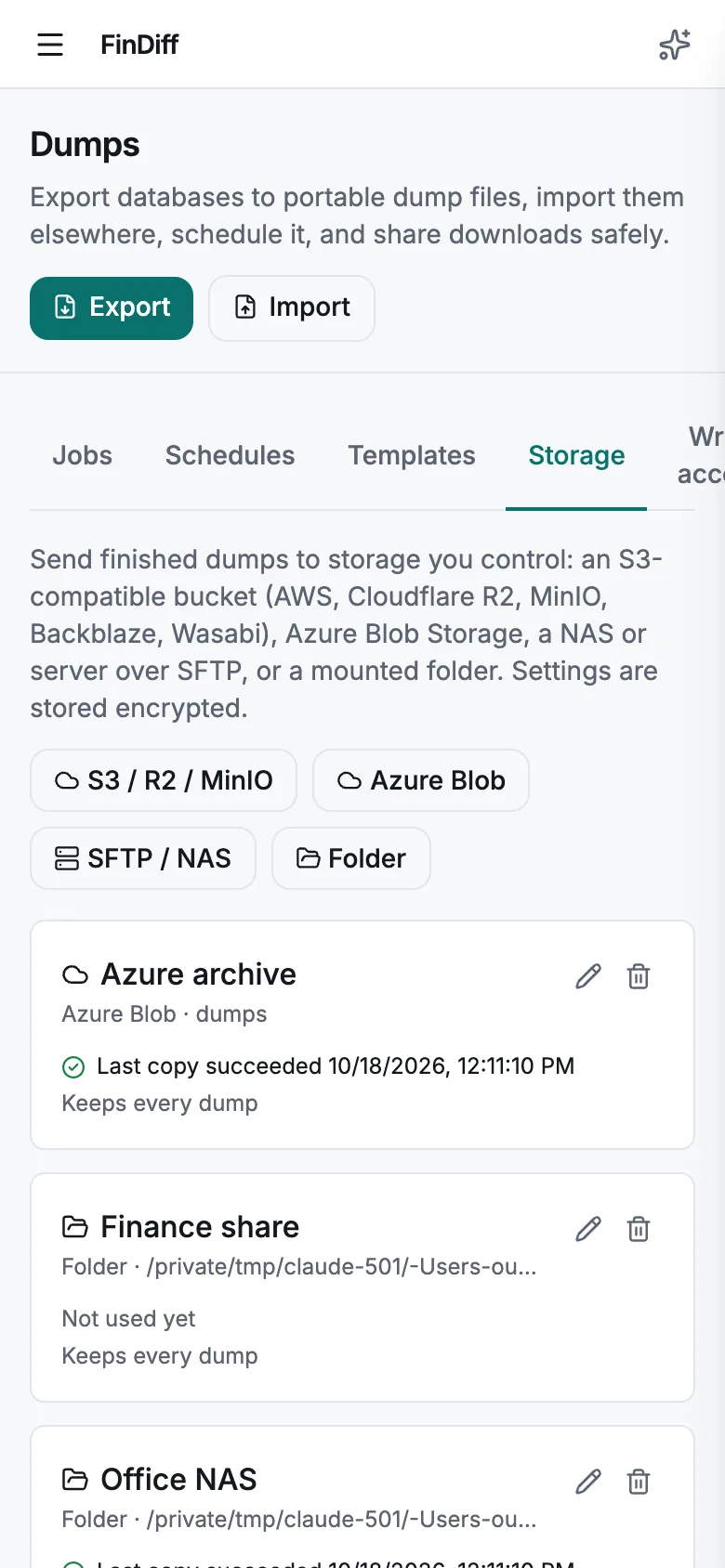
Copy every finished dump to an S3-compatible bucket (AWS S3, Cloudflare R2, MinIO, Backblaze, Wasabi), Azure Blob Storage, a NAS or server over SFTP, or a mounted folder. Choose destinations per export or per schedule, or push an existing dump with one click.

  • Connection tested for real before it is saved: write, list and delete a probe file
  • Credentials stored encrypted and never shown again; SFTP host keys pinned on first use
  • Keep the newest N dumps per database, older ones are removed from the destination
  • A failed copy never loses the dump: it stays in FinDiff, the log says why, and a system event is raised
findiff — Storage destinations
New storage destination form for an S3-compatible bucket such as Cloudflare R2
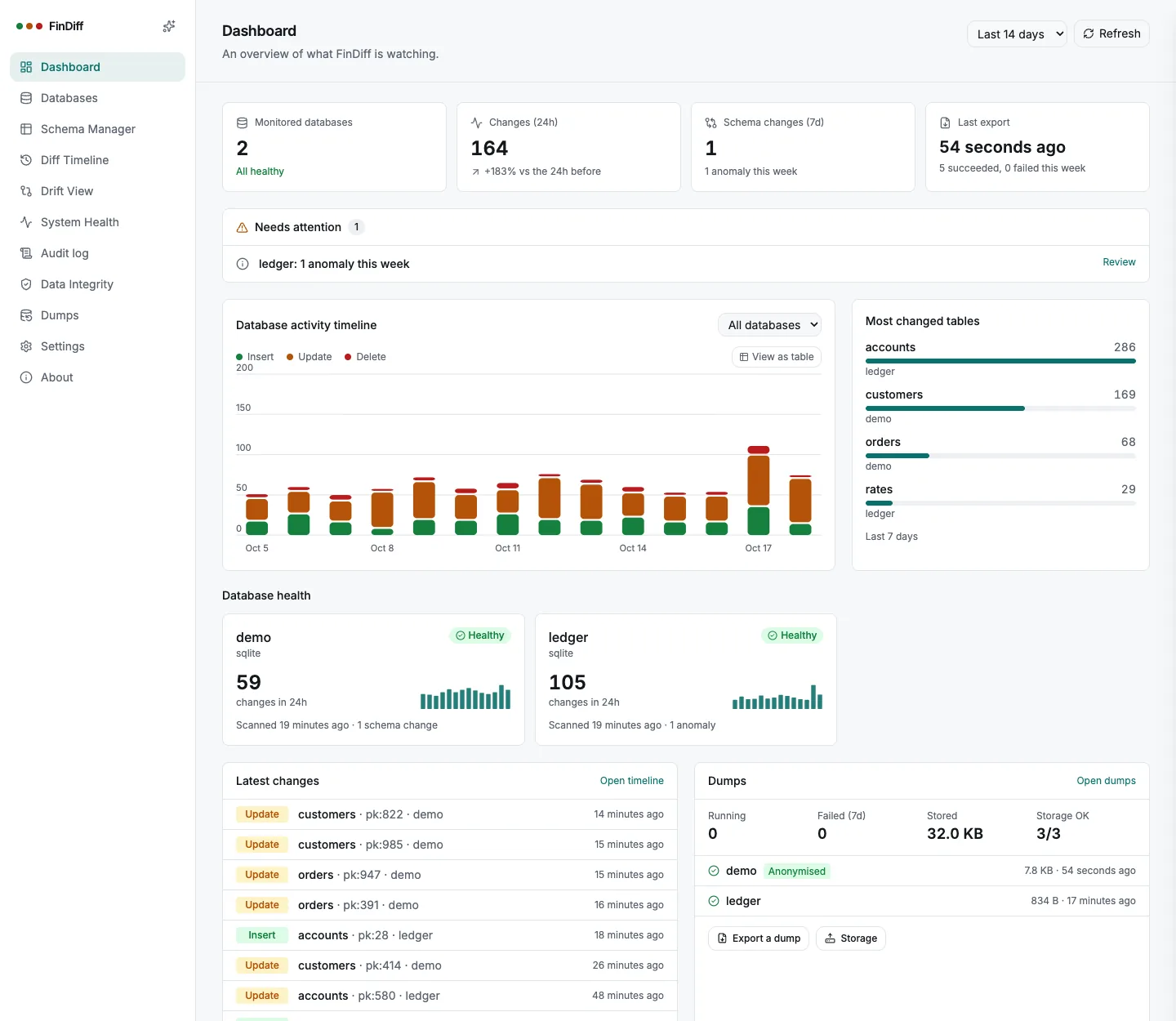
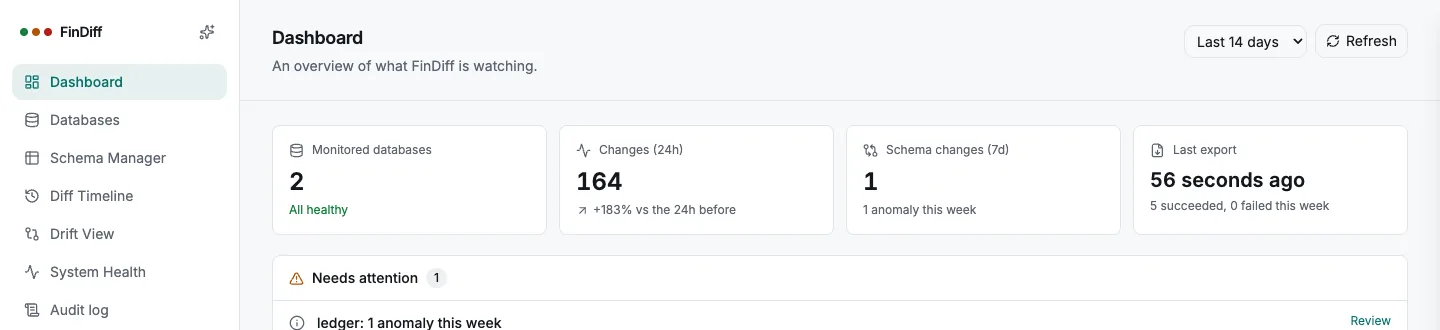
Dashboard

See what needs you, at a glance

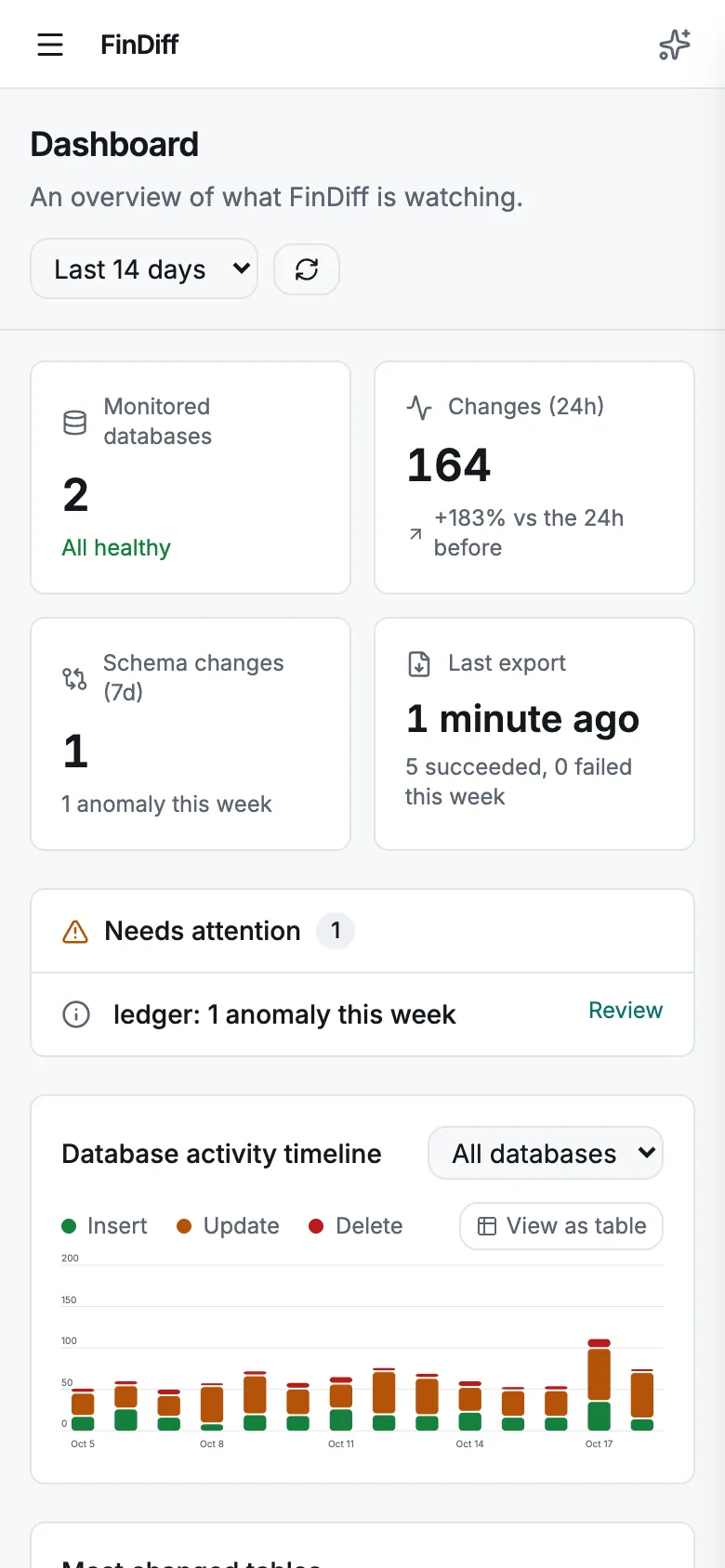
The dashboard now answers three questions: is everything being scanned, what changed, and are my dumps safe. A Needs attention list ranks problems by severity, each database has a health card with a daily sparkline, and administrators see the state of dumps and storage.

  • Changes in 24 hours with the trend against the day before, schema changes and anomalies
  • Stale or never-scanned databases, failed scans, failing schedules and storage, pending share requests
  • Most changed tables, latest changes, last export per database with the anonymised badge
  • Refreshes by itself and fits a phone
findiff — Dashboard
Dashboard with key figures, a needs attention list, the activity chart, most changed tables, database health cards and a dumps panel
Always current

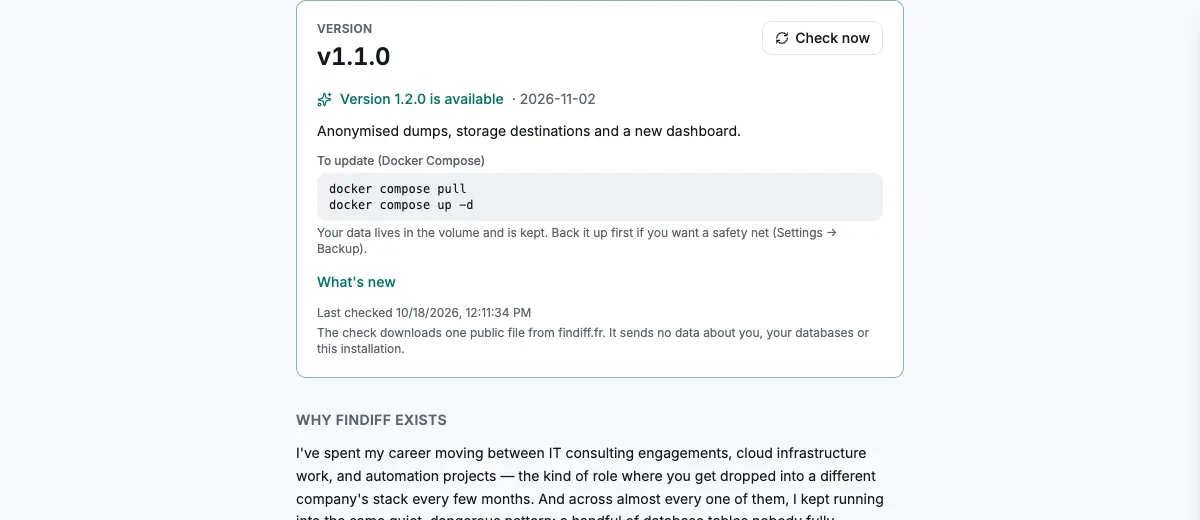
Know which version you run, and when a new one is out

The version is shown in the sidebar and on the About page. When a newer release is published, administrators see a banner with the release notes and the two commands to update; everyone sees an update note in the sidebar.

  • One tiny public file is read twice a day: no account, database or installation data is sent
  • Turn it off with FINDIFF_UPDATE_CHECK=false on networks that must not call out
  • This site shows the same latest version, so you can compare before you pull
findiff — About → Version
About page showing the running version, an available update, its notes and the update commands
Data quality & integrity

Rules on your own data, with the numbers

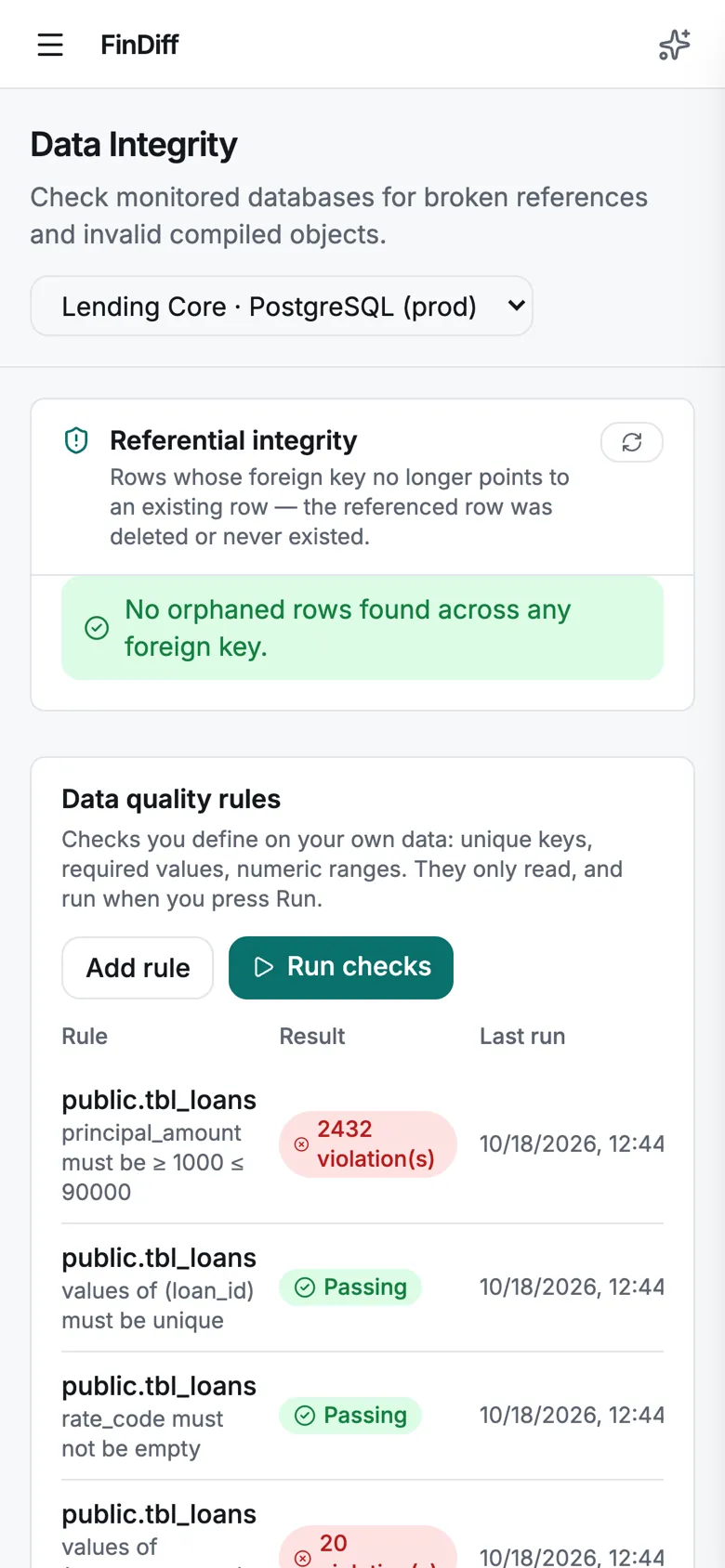
Define unique, required and range checks per database and run them on demand. Results are real counts: here 2,432 loans are outside the policy range and 20 customer names are duplicated, on PostgreSQL and on Oracle alike. Monitoring coverage flags tables that cannot be diffed reliably.

  • Unique, required (not null) and numeric range rules, read-only COUNT queries
  • Coverage check: tables without a primary key, or that depend on unmonitored tables
  • A rule that cannot run says so, it never reports a pass
findiff — Data Integrity
Data quality rules with violation counts, monitoring coverage and invalid objects
Review workflow

Assign, ticket and acknowledge every change

Detected changes can be assigned, linked to a ticket, commented and acknowledged. Schema changes (DDL) and statistical anomalies have their own tabs next to data changes.

  • Open changes counted, one click to acknowledge a batch
  • Schema change detection and anomaly detection
  • Scheduled drift checks between two environments
findiff — Diff Timeline
Diff Timeline with Data changes, Schema changes and Anomalies tabs and assignee and ticket fields
Access & evidence

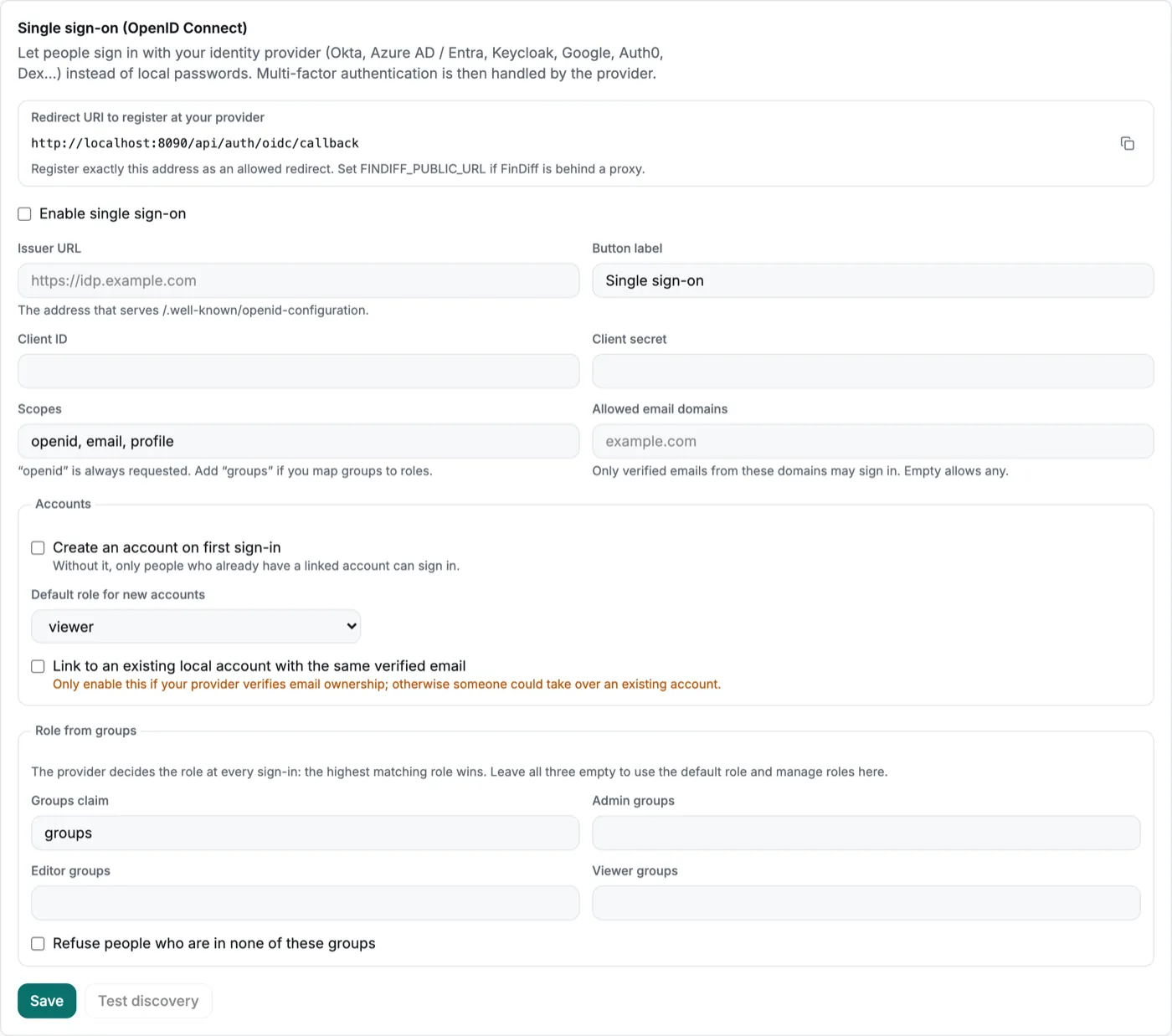
Single sign-on, roles and a full audit log

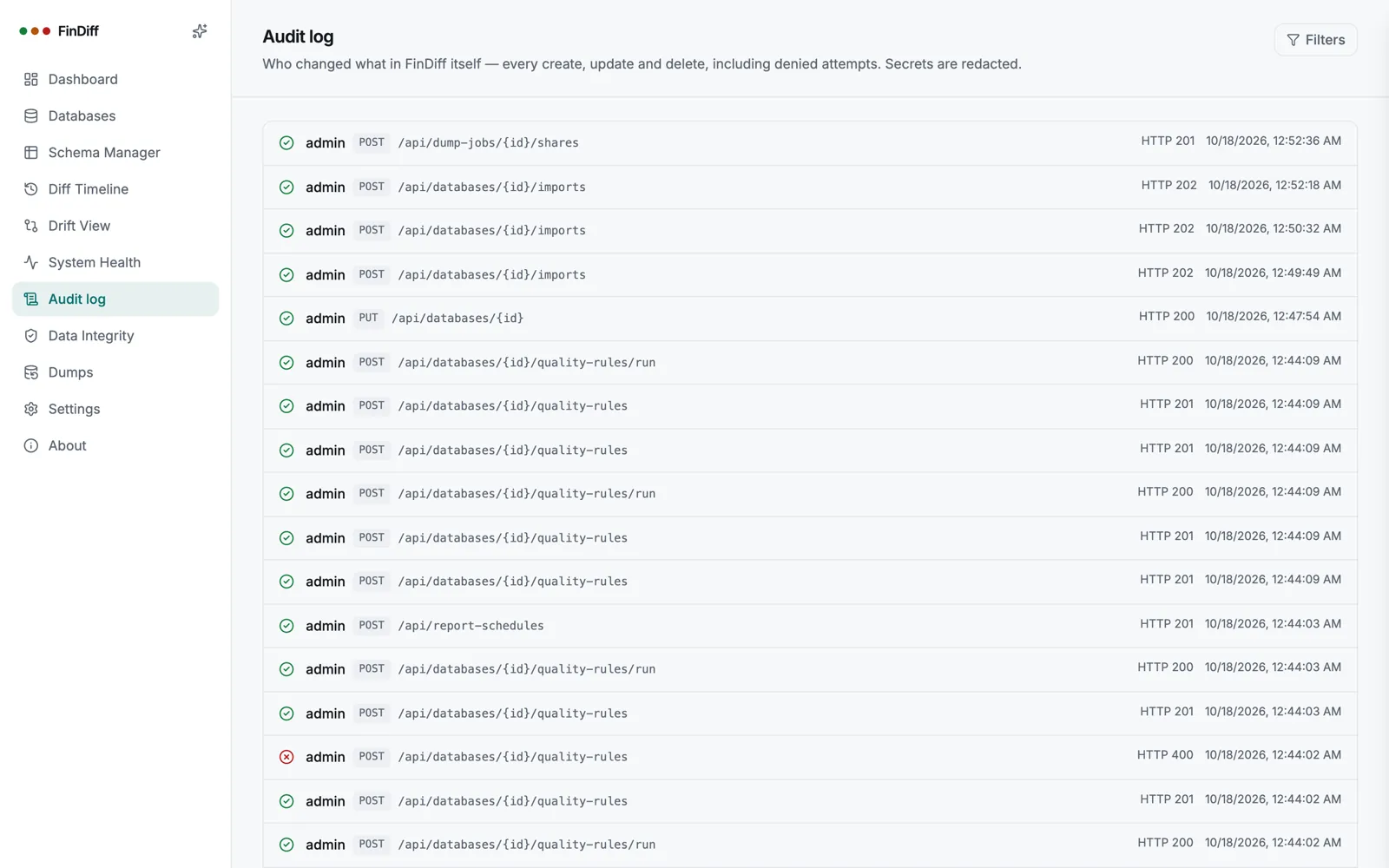
Sign in with your identity provider through OpenID Connect with PKCE, map provider groups to roles, and keep local accounts with two-factor sign-in where you need them. Every sensitive action is written to the audit log.

  • OIDC single sign-on: Okta, Entra ID, Keycloak, Google, Auth0, Dex
  • Roles: administrator, editor, viewer; optional role from provider groups
  • Two-factor authentication with any authenticator app
findiff — Single sign-on
Single sign-on settings with redirect URI, issuer, client and group role mapping
findiff — Audit log
Audit log listing who did what and when
Compliance reports & alerts

The PDF arrives on Monday morning

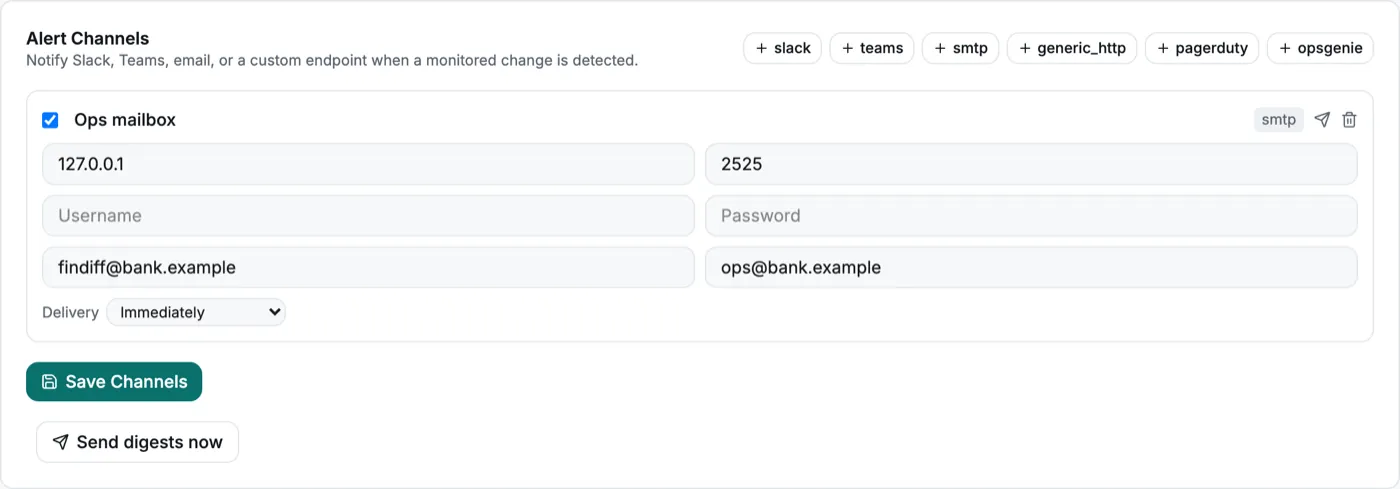
Schedule the compliance PDF for any database, weekly or monthly, and email it to the people who need it. Alert channels cover Slack, Teams, email, PagerDuty, Opsgenie and any webhook.

  • Previous full week or calendar month, with every detected change
  • Send now, pause, and see the last result of each schedule
  • Alert rules route changes to specific channels, with digests
findiff — Scheduled reports
Scheduled compliance reports table with a weekly pack for the PostgreSQL production database
findiff — Alert channels
Alert channels settings with an SMTP channel

Exact change feeds

For very large tables, read PostgreSQL logical decoding or the MySQL and MariaDB binary log instead of scanning, with a safe fallback to a full scan.

pg_logical · mysql_binlog

Passwords out of the database

Reference secrets from files or environment variables instead of storing connection passwords, and set TLS per connection.

FINDIFF_SECRETS_DIR

AI daily summary

A plain-language digest of the last 24 hours of changes, sent through your alert channels. Option to leave the actual values out.

OpenAI · Anthropic · Gemini · local

Backup and restore of FinDiff itself

Download a consistent copy of FinDiff’s own store from Settings while it runs.

Prometheus metrics & probes

Liveness and readiness endpoints, and a token-protected metrics endpoint.

FINDIFF_METRICS_TOKEN

Hardened container

Runs as a non-root user with a built-in healthcheck, and an end-to-end browser test suite guards every release.

Accessible & multilingual

Keyboard navigable, screen-reader labels, light and dark themes, English and French.

Coverage check & Oracle system schemas

Oracle-maintained schemas and objects are excluded so your results show your own data.

Two-factor and roles

Create users as editor or viewer, force a password change on first sign-in, and manage everyone from one page.

Open the manual with every setting →

Built for the people who own this problem

Not another dashboard nobody asked for

FinDiff was built around three real conversations: the DBA asked to grant access, the compliance officer asked "who changed this," and the engineer asked to explain it all after the fact.

Database administrators

Grant access without losing sleep

  • Generate the exact read-only GRANT SQL for your engine before connecting anything.
  • See the real scan footprint: queries run, duration, rows read, per table.
  • A statement guard, read-only transactions, and a dedicated role: three independent layers, not a promise.
Compliance & business

Stop chasing shrugs

  • Pre-declare a planned change and stop the false alarms it would otherwise trigger.
  • Export a date-ranged PDF report for an auditor in one click, no spreadsheet required.
  • Raw columns get real names: rate_code becomes "Interest Rate Table" in every report.
Engineering & platform

One binary, five engines, no agents

  • Postgres, MySQL, MariaDB, SQL Server and Oracle behind one interface, one deploy.
  • A live diff feed over WebSocket, plus alerts to Slack, Teams, email or any webhook.
  • Ask the AI copilot why something changed and get a plain-language answer with the query to check it.
Everything included

A complete observability layer, not a monitoring agent

No agents to install on the source database. Monitoring never writes: FinDiff sits next to your data and watches, the way an auditor would. Importing a dump is a separate, opt-in path.

Read-only, structurally

A statement guard rejects anything that isn't SELECT, read-only transactions where the driver allows it, and a generator for the dedicated database role to run it all under. Dump import uses its own, separate write connection that is off until an administrator adds it.

Schema mapping

Map raw tables and columns to business labels in-app, or export an Excel template, hand it to a business owner, and re-import their answers with per-row validation.

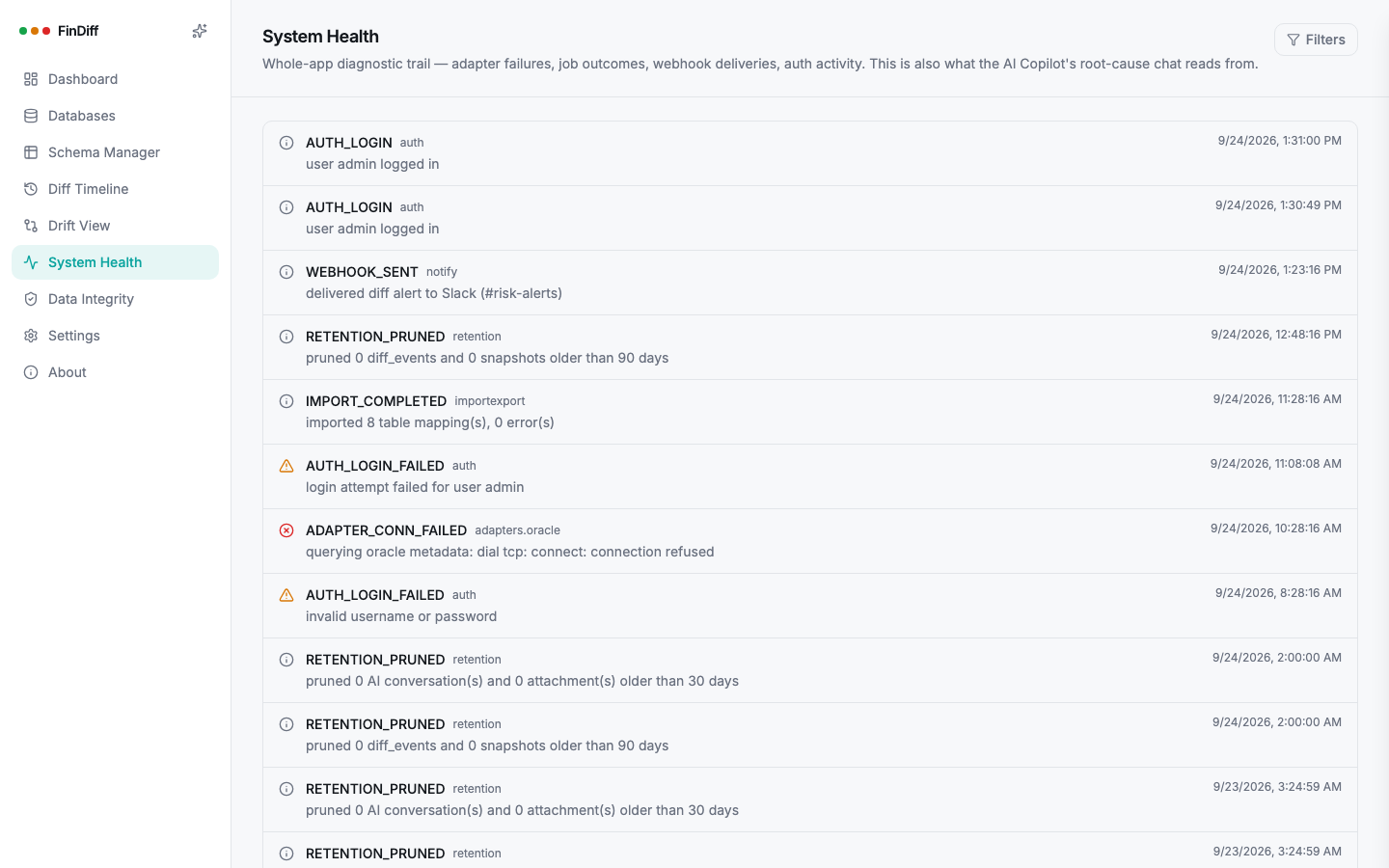
Live diff timeline

Row-level SHA-256 diffing between snapshots, streamed to the UI over WebSocket the moment a change is detected. Filter by table, change type, date range or database.

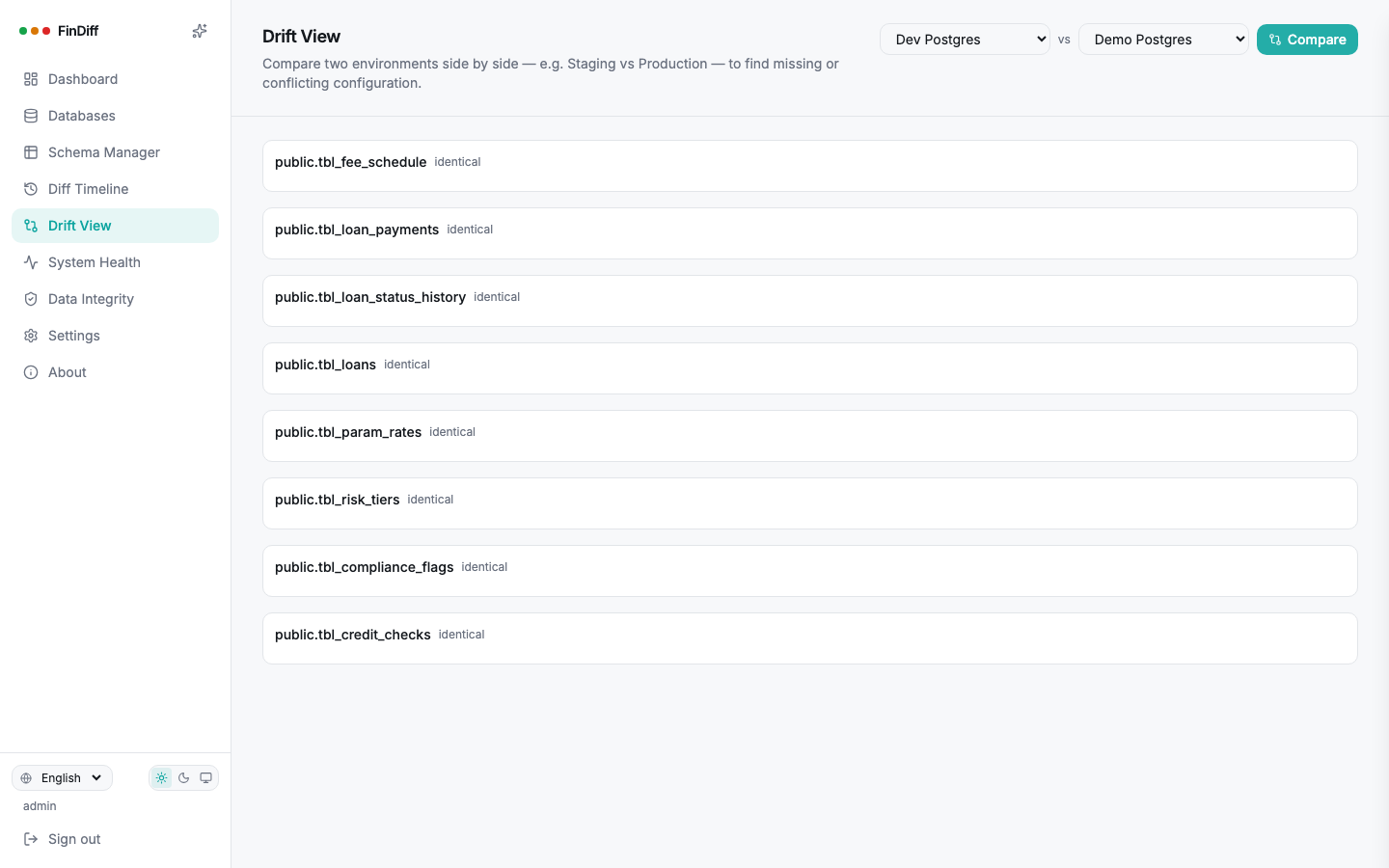
Drift view

Compare two environments side by side, staging against production, region against region, and see exactly which rows disagree.

Data integrity checks

Referential integrity across every foreign key, invalid compiled objects on Oracle, and a scan footprint report showing exactly what FinDiff's own jobs cost you.

Table groups

Cluster related tables into a named module, loan origination, pricing, risk, with one-click suggestions built from real foreign keys.

Alerting & retention

Slack, Microsoft Teams, email or a generic webhook on every change, plus a configurable retention window that exports before it prunes.

Built for scale

Keyset pagination, in-database checksums, and watermark or native change-tracking incremental scans keep a billion-row table just as cheap to watch as a small one.

AI copilot

Ask questions in plain language over both the diff history and FinDiff's own health events. Works with OpenAI, Anthropic, Gemini, or a fully local Ollama or LM Studio model.

Built for scale

A 2 billion row table costs the same to watch as a 50 row one

Most drift-detection scripts get quietly abandoned the day someone points them at a real production table. FinDiff was designed around the opposite assumption from the start: tables get big, and snapshots happen often.

1st snapshot 100th snapshot
Naive full-copy-every-snapshot approach FinDiff
  • 01
    Bounded memory, always

    FinDiff pages through a table by primary key, one fixed-size page at a time. Scanning row one million costs exactly the same as scanning row one.

  • 02
    One round trip beats a full read

    Most engines let FinDiff ask "did anything change" with a single lightweight database-side checksum, so an untouched table is skipped entirely instead of re-compared row by row.

  • 03
    Storage tracks your data, not your schedule

    FinDiff keeps one current state per row, updated in place. Snapshot every five minutes for a year and the count barely moves, unlike a tool that copies the whole table each time.

From zero to watching

Four steps, no schema changes required

FinDiff never issues a single ALTER against a database it monitors. Everything below is additive, on your side.

01

Connect with a read-only role

Generate the exact GRANT SQL for your engine, run it yourself, and connect FinDiff with credentials that structurally cannot write.

02

Map your schema

Scan the database once, then label tables and columns in language your team already uses, in-app or through the Excel round trip.

03

Let it watch

FinDiff snapshots on a schedule you set and catches every insert, update and delete the moment it happens.

04

Get the proof

Live alerts, a full audit trail, and a signed-off PDF report the moment someone asks who changed what.

A closer look

The product, not the pitch

Real screenshots, running against a seeded lending-platform dataset.
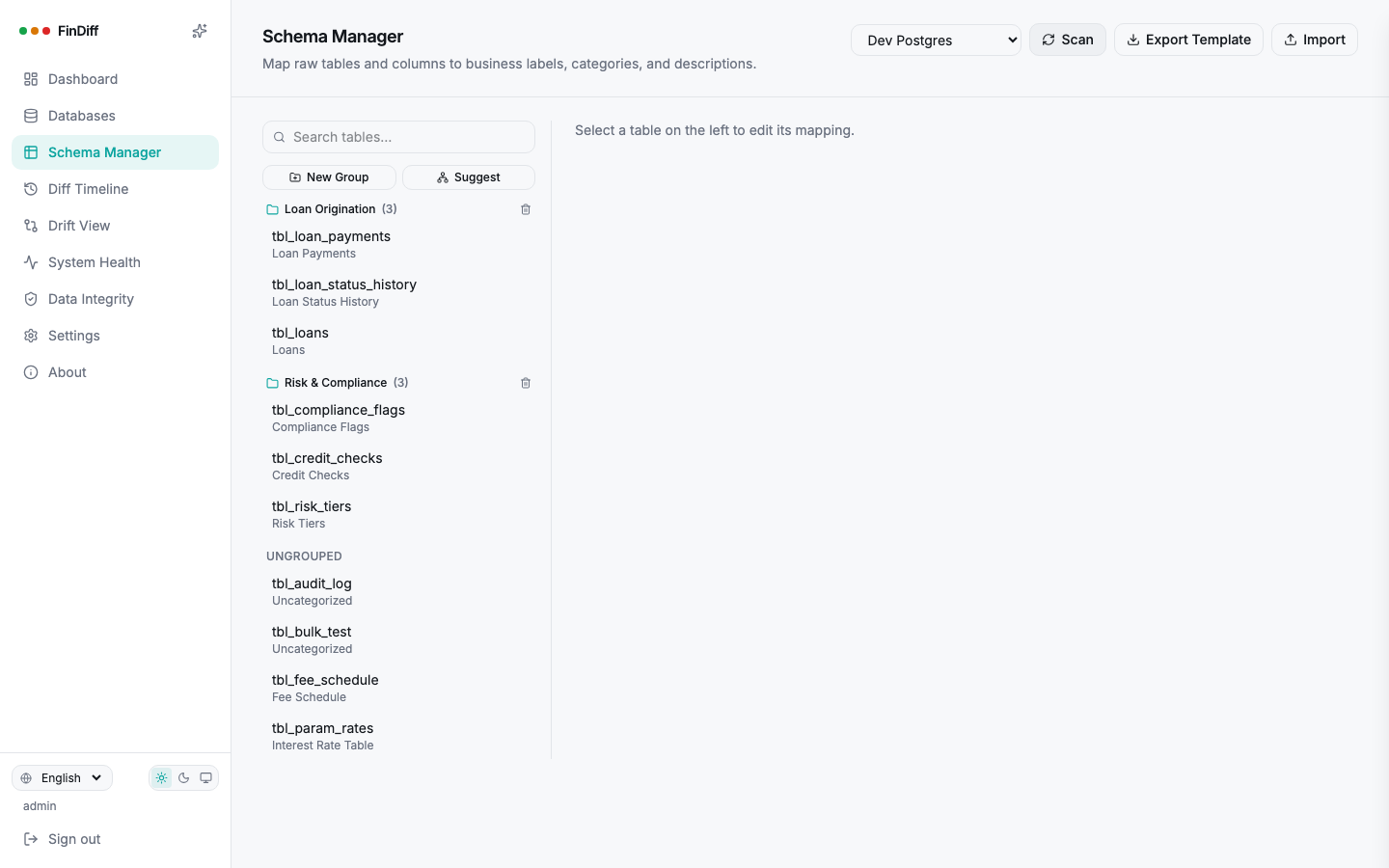
Schema Manager

Turn raw tables into a business glossary

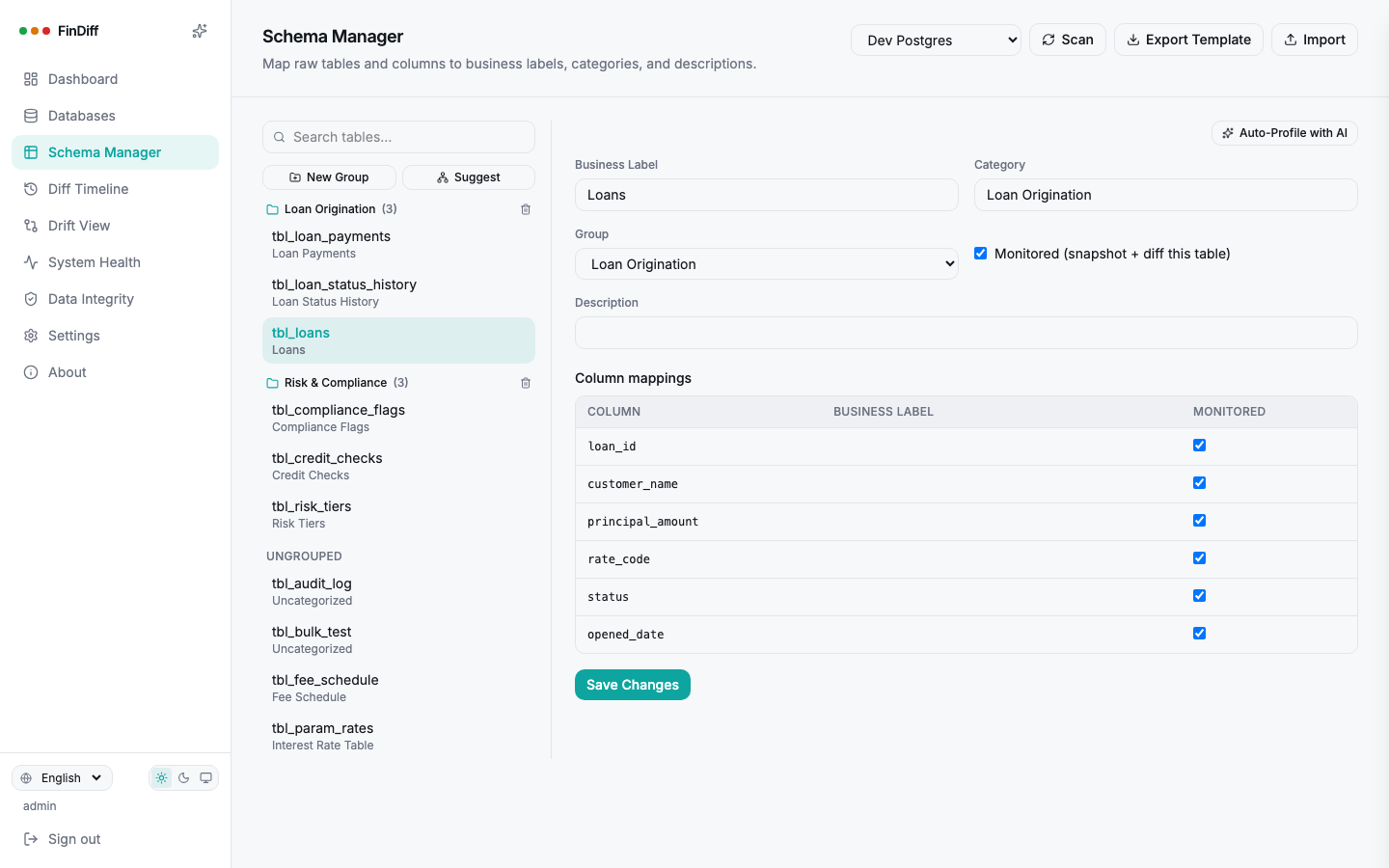
rate_code and tier_id mean nothing to a compliance officer. Map them once to "Interest Rate Table" and "Risk Tier," group related tables into modules, and every future report speaks the business's language, not the schema's.

  • In-app mapping, or an Excel template a business owner can fill in
  • Table groups suggested automatically from real foreign keys
  • Per-column monitoring, so noisy audit columns don't drown the signal
findiff — Schema Manager
Schema Manager mapping raw tables to business labels and groups
Table Groups

The groups suggest themselves

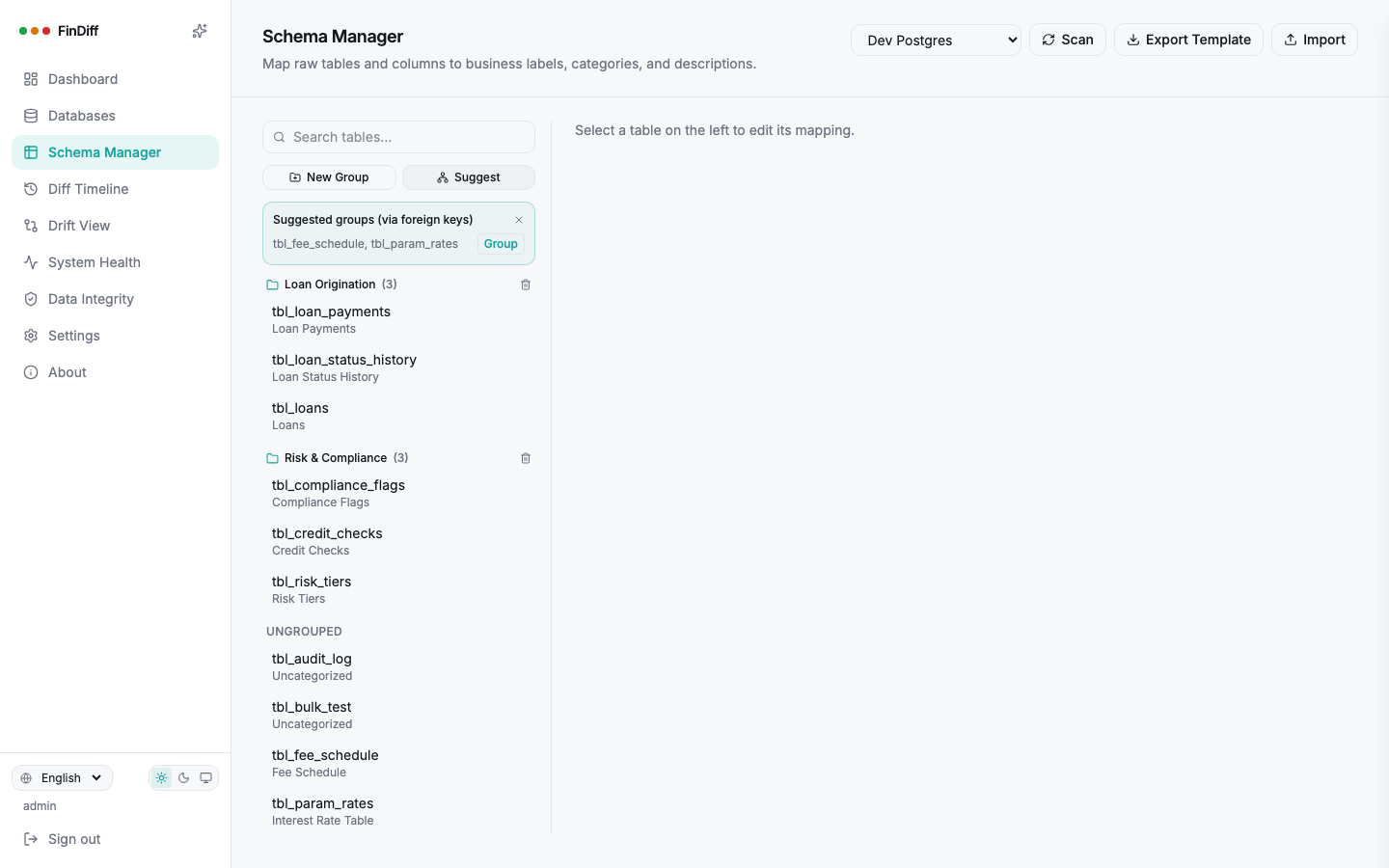
Click "Suggest" and FinDiff reads the live foreign keys already in your schema, clusters tables that reference each other, even transitively, and offers them up as a ready-made group. Loan, payment, and status-history tables that nobody explicitly linked in FinDiff show up bundled together anyway, because the database already told us they belong together.

  • One click turns a suggestion into a real, named group
  • Works across all 5 engines, each with its own foreign-key query
  • Create a group by hand any time, suggestions are a shortcut, not a requirement
findiff — Schema Manager
Schema Manager suggesting a table group based on foreign keys
Diff Timeline

Every change, timestamped, and sorted from noise

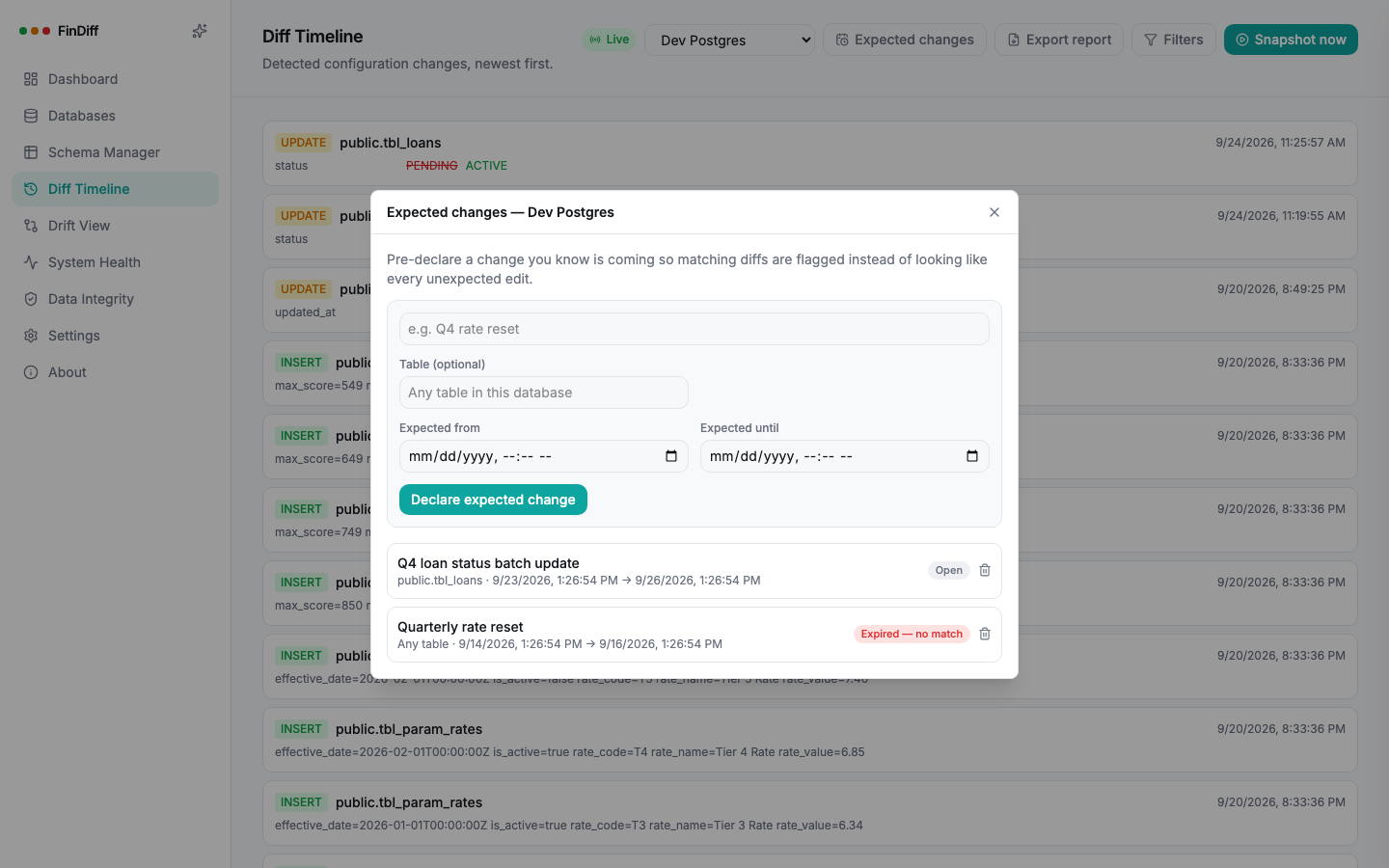
A quarterly rate reset and an unexplained Friday-afternoon edit used to look identical in the log. Pre-declare the ones you expect, and every matching change gets flagged, so what's left is what actually needs a look.

  • Live over WebSocket, filterable by table, type, database and date
  • Old and new values, side by side, down to the column
  • Expected-change windows that expire loudly if nothing happens
findiff — Diff Timeline
Expected changes panel showing a matched window and an expired window
Read-only role generator

Prove it. Literally.
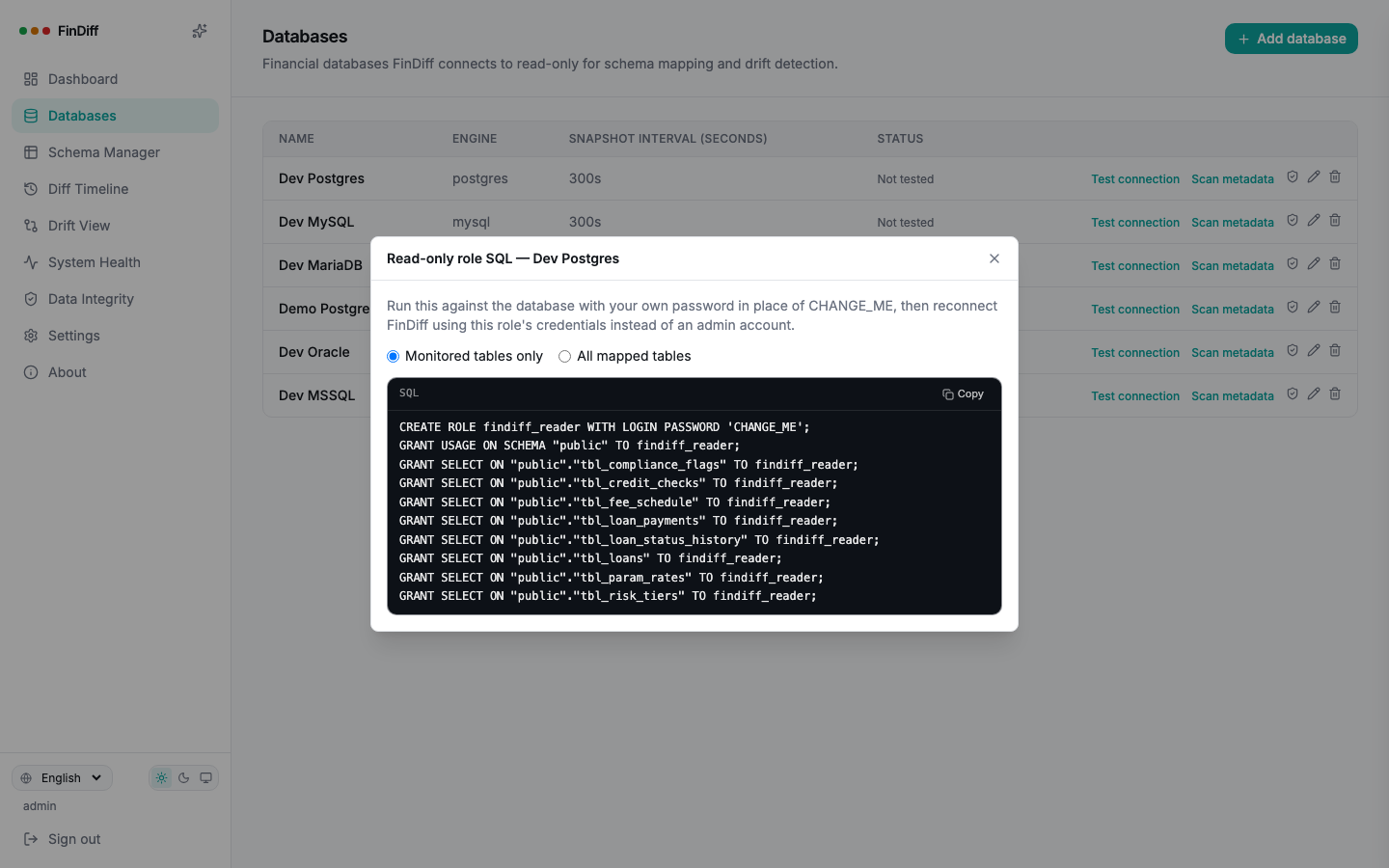
Every DBA has heard "don't worry, it's read-only" before. FinDiff generates the exact CREATE ROLE and GRANT SELECT statements for your engine, scoped to only the tables you've mapped, so you can verify the claim instead of trusting it.

  • Correct syntax for Postgres, MySQL, MariaDB, SQL Server and Oracle
  • Scoped to monitored tables only, or every mapped table
  • No password is ever invented or stored. You fill that part in.
findiff — Read-only role SQL
Generated read-only GRANT SQL for a Postgres database
Per-engine connections

Real fields for Oracle, not a connection-string riddle

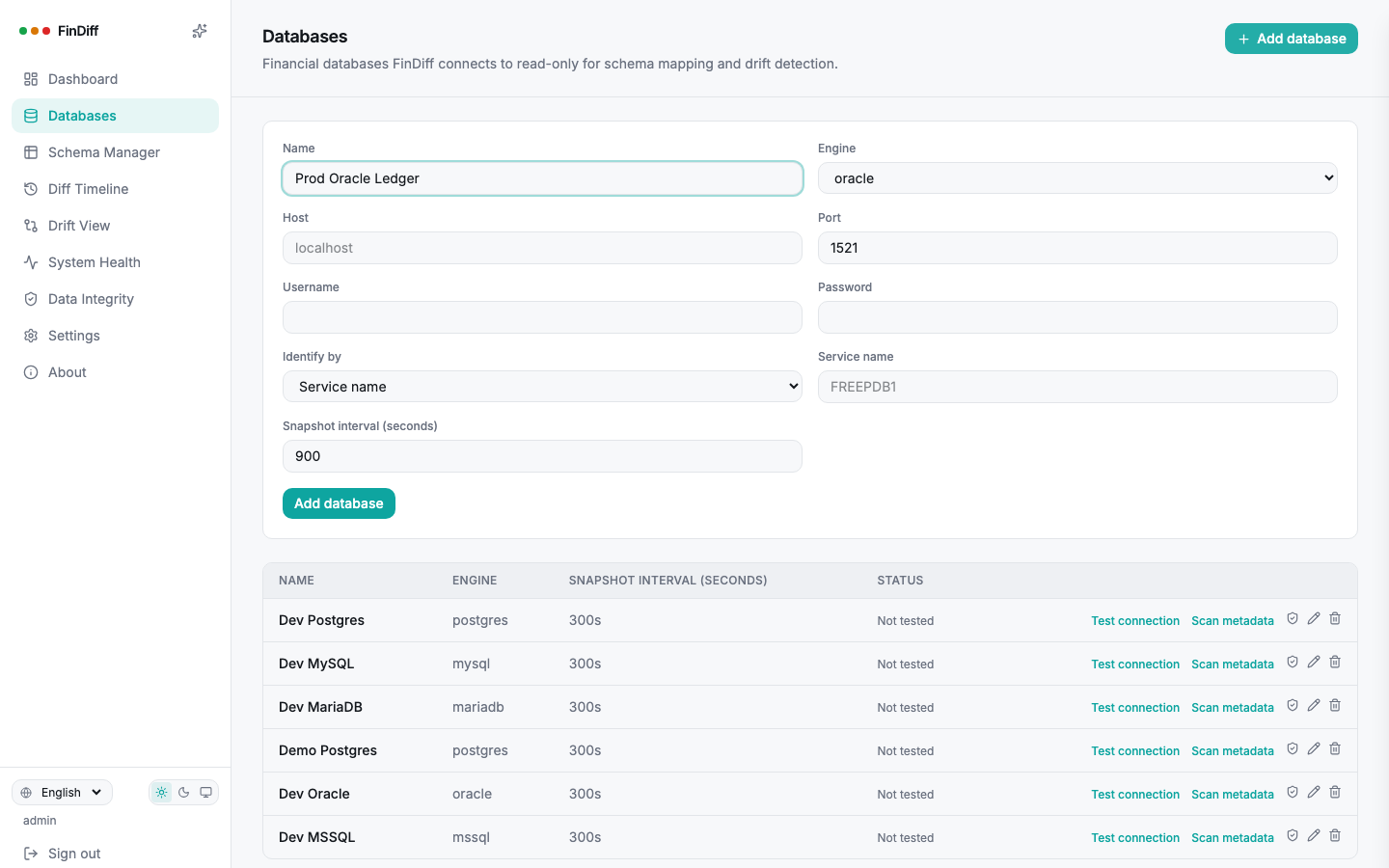
Oracle asks for a host, port, and a Service Name or a SID, two genuinely different things that a single freeform connection string always gets wrong for someone. FinDiff's Add Database form asks each engine for exactly what it needs, Oracle included, and builds the correct connection string for you.

  • Oracle: Service Name or SID, whichever your DBA actually gave you
  • Postgres, MySQL, MariaDB and SQL Server each get their own matching fields
  • Editing a database later can leave credentials untouched, only what you change gets sent
findiff — Add database
Add database form with Oracle-specific Service Name and SID fields
Data Integrity

See exactly what FinDiff is doing to your database

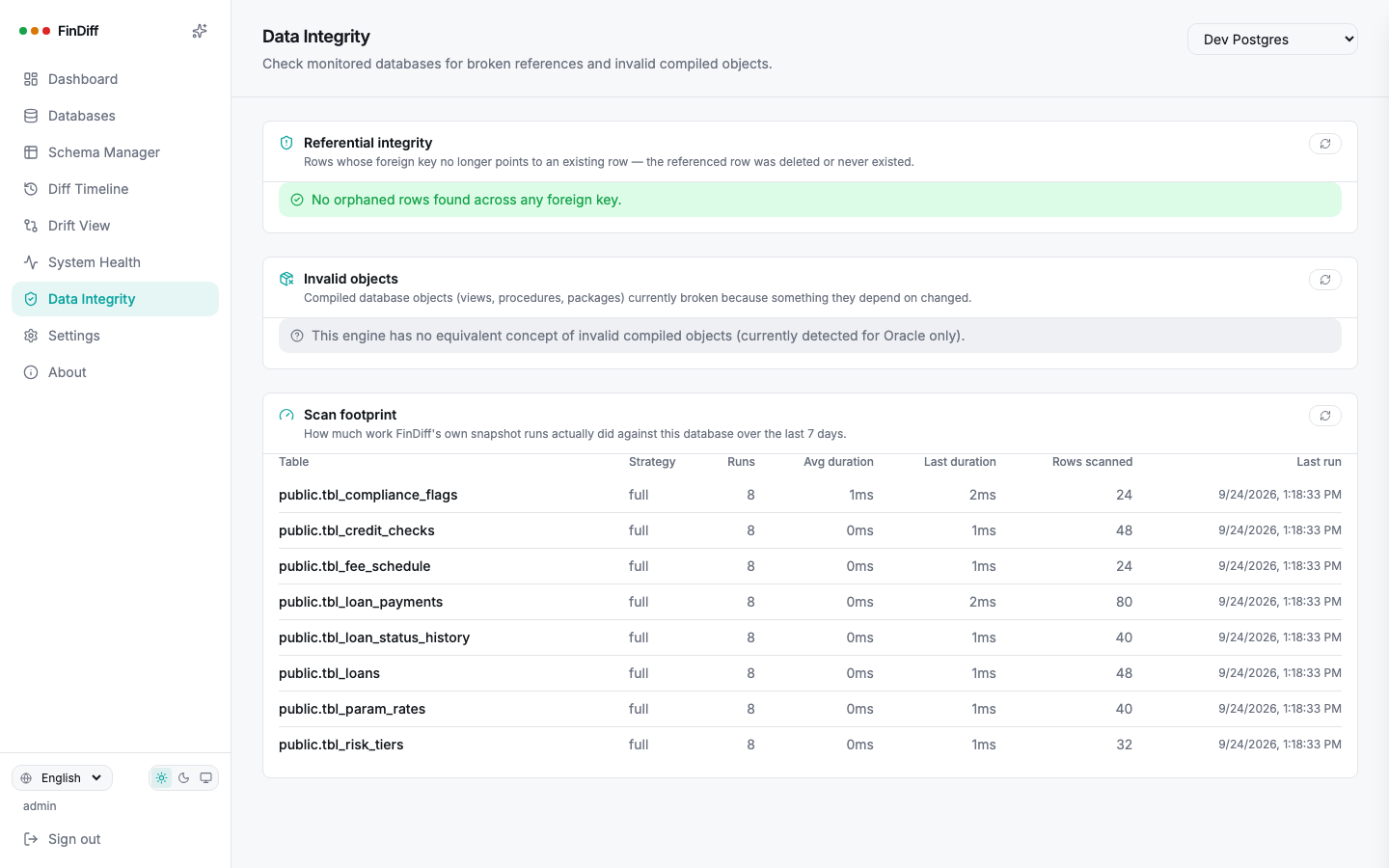
Referential integrity checks catch orphaned rows across every foreign key. The scan footprint report goes further: real run counts, durations and rows read per table, so "it's lightweight" is a number, not a promise.

  • Orphaned foreign keys, flagged automatically
  • Per-table scan duration and rows scanned, updated every run
  • Invalid compiled objects on Oracle, an honest "not applicable" elsewhere
findiff — Data Integrity
Data Integrity page showing referential integrity and scan footprint
Alerting

Slack, Teams, email, or your own endpoint

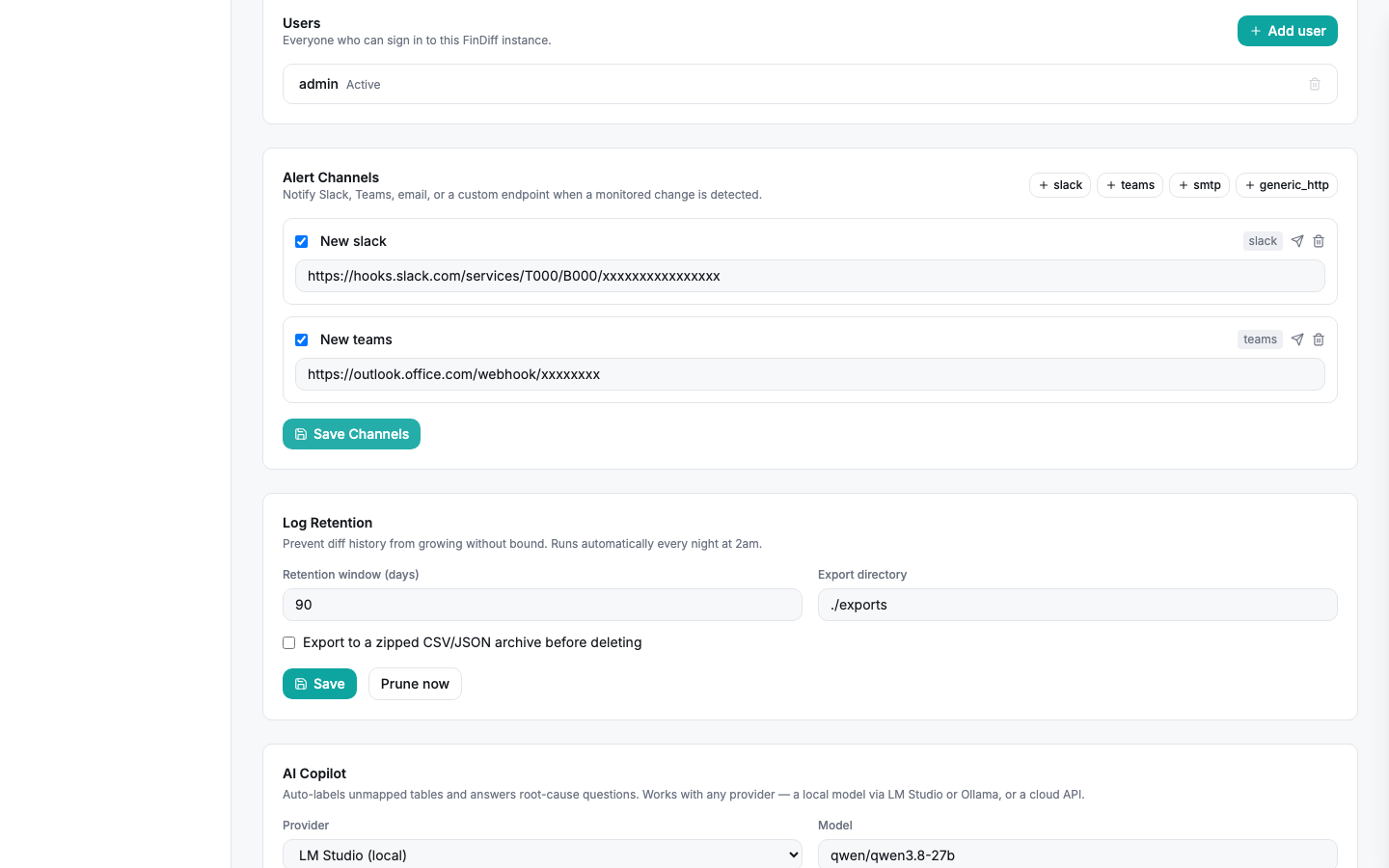
The moment a change is detected, FinDiff can push it wherever your team already looks. Configure as many channels as you need, each one is independent, so a critical rate table can alert a Slack channel while everything else just accumulates quietly in the timeline.

  • Slack and Microsoft Teams webhooks, out of the box
  • SMTP email, or a generic HTTP webhook for anything else
  • A canonical payload shape, so parsing it once means parsing it everywhere
findiff — Settings
Alert channels configured for Slack and Microsoft Teams
AI Copilot

Ask why. Get an answer you can check yourself.

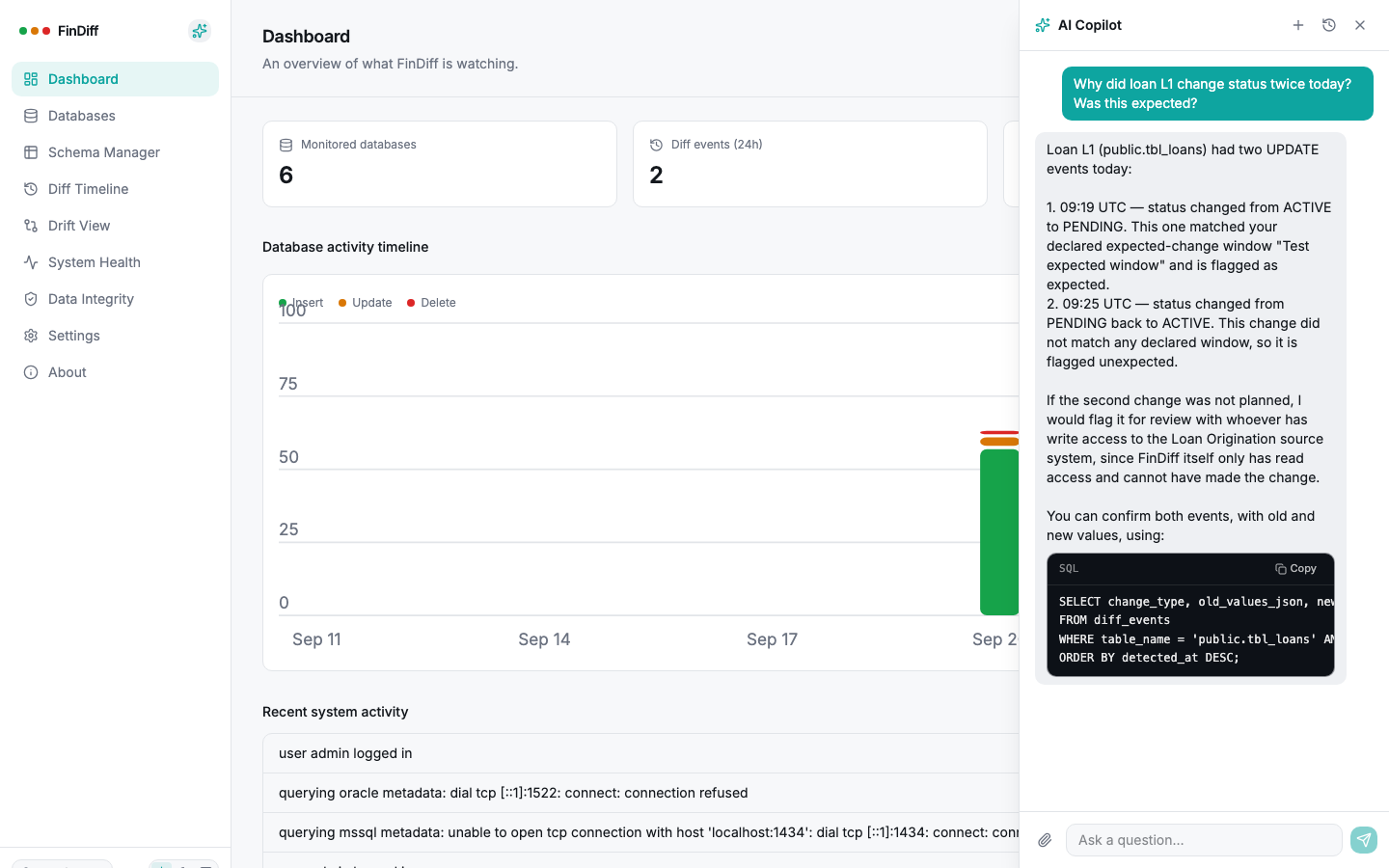
The copilot reasons over both the diff history and FinDiff's own operational events, so "why did this change" and "why did the connection start failing" are answered by the same feature. Every answer that matters comes with the query to verify it.

  • Multi-turn, named, persistent conversations
  • File uploads, including PDF, folded into the context
  • Any OpenAI-compatible endpoint, or a fully local model, your choice
findiff — AI Copilot
AI Copilot answering a question about a loan status change with a SQL code block
Compliance export

One click, and the auditor has what they need

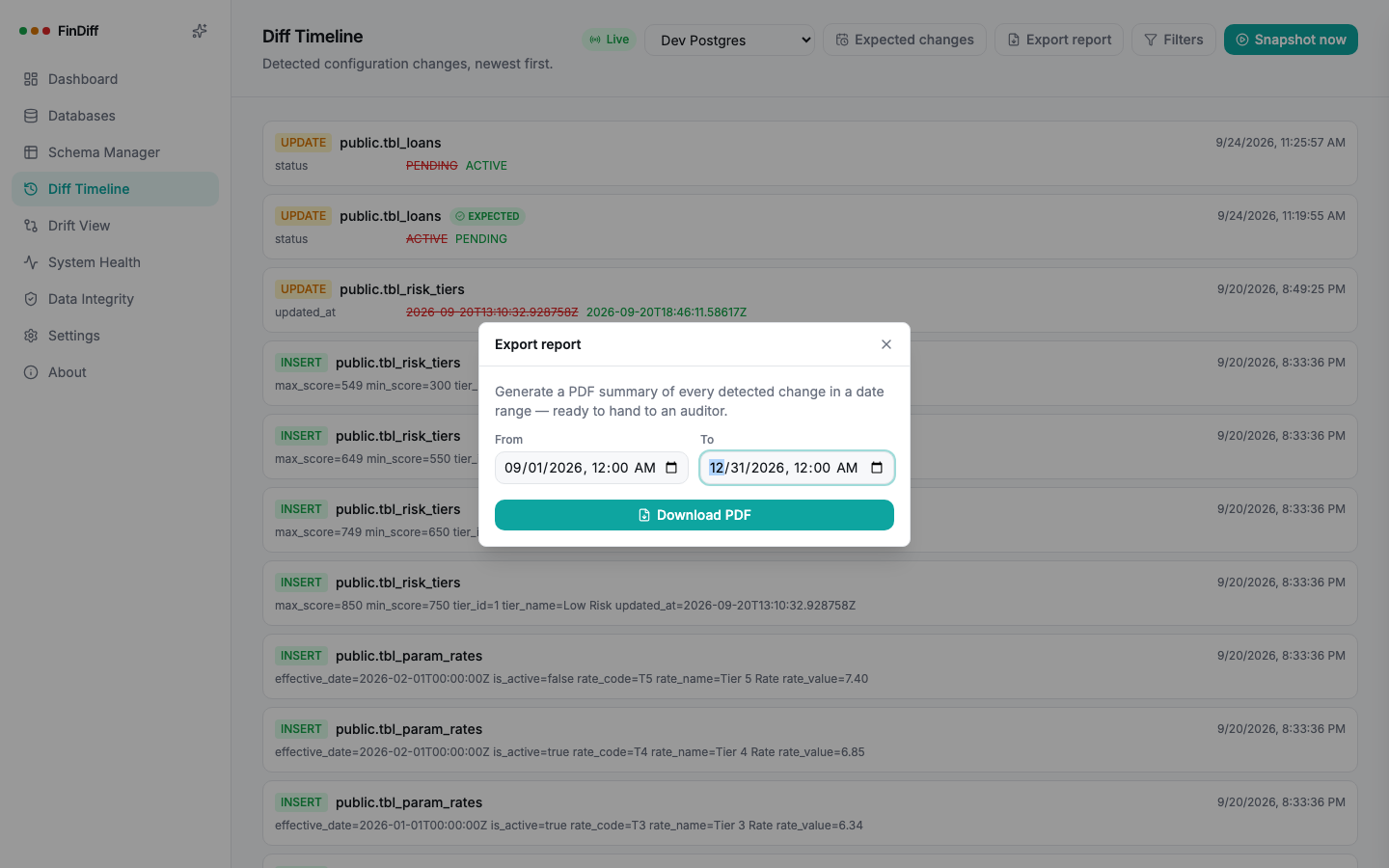
Pick a date range and get a PDF: every change, its business label, whether it was expected, and a summary count by type. No CSV to reformat, no manual pull from the audit log the night before a review.

  • Summary counts by change type, expected versus unexpected
  • Business labels pulled straight from Schema Manager
  • Generated on demand, nothing pre-stored or scheduled to leak
View a sample report
findiff — Export report
Export report modal for generating a compliance PDF
One interface, six engines

Wherever your configuration actually lives

PostgreSQLFull support
MySQLFull support
MariaDBFull support
SQL ServerNative change tracking
OracleNative SCN scanning
SQLiteMonitored source
Gallery

More of the interface

Use the arrows, the dots, or the left and right arrow keys. Click a shot to enlarge it.

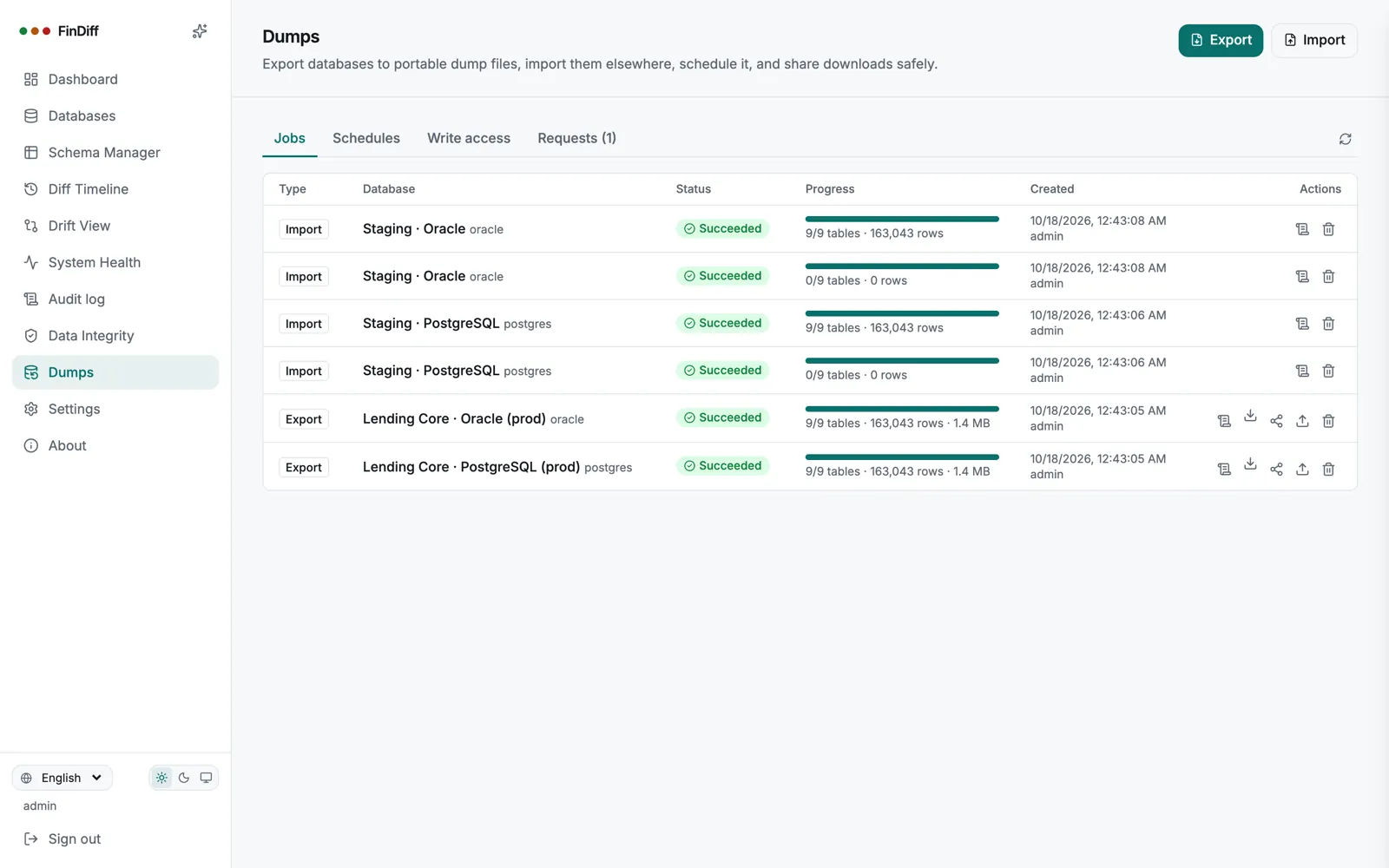
Dumps
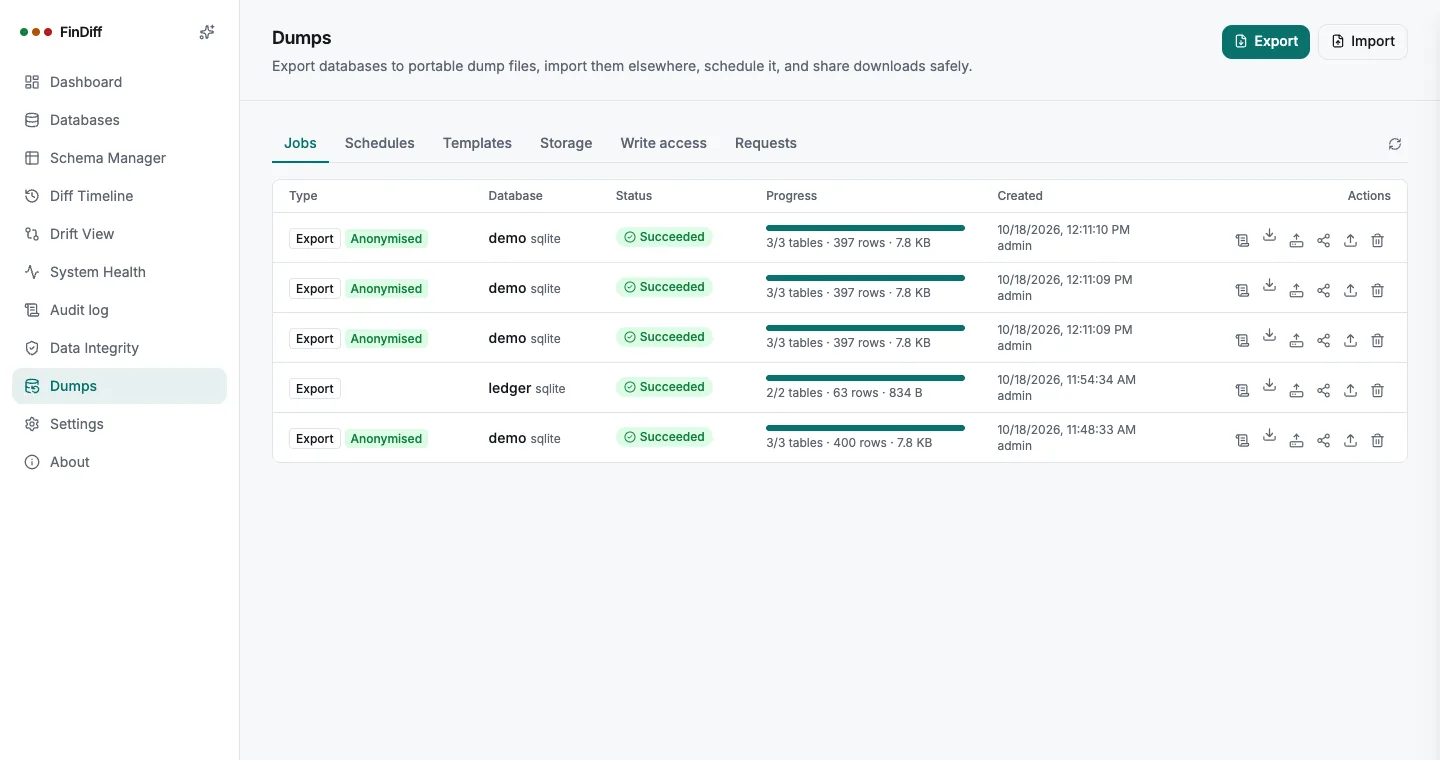
Dumps: anonymised exports are badged, with a one-click copy to storage
Storage
Storage destinations: S3-compatible, Azure Blob, SFTP/NAS or a folder, with their last result
Templates
Anonymisation templates: built-in and your own
Update notice
A new release is announced to administrators, with the release notes
Dumps
Dumps: every export and import, with progress and row counts
Dump schedules
Schedules: nightly exports and weekly staging refreshes
Diff Timeline, Oracle
Diff Timeline on Oracle, with review fields for every change
Single sign-on
Single sign-on and group-to-role mapping
Audit log
Audit log of sensitive actions
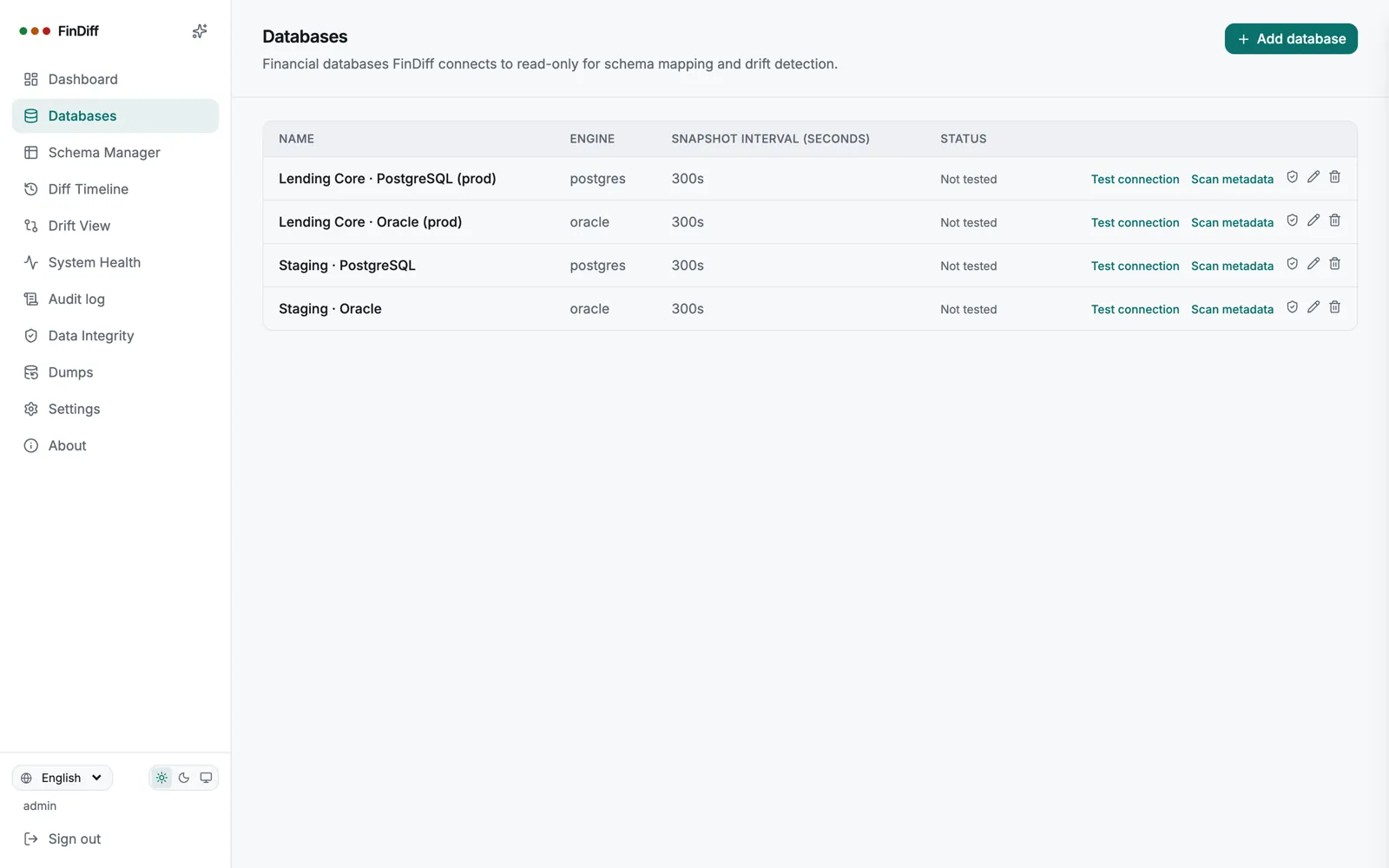
Databases
Databases: PostgreSQL and Oracle, production and staging
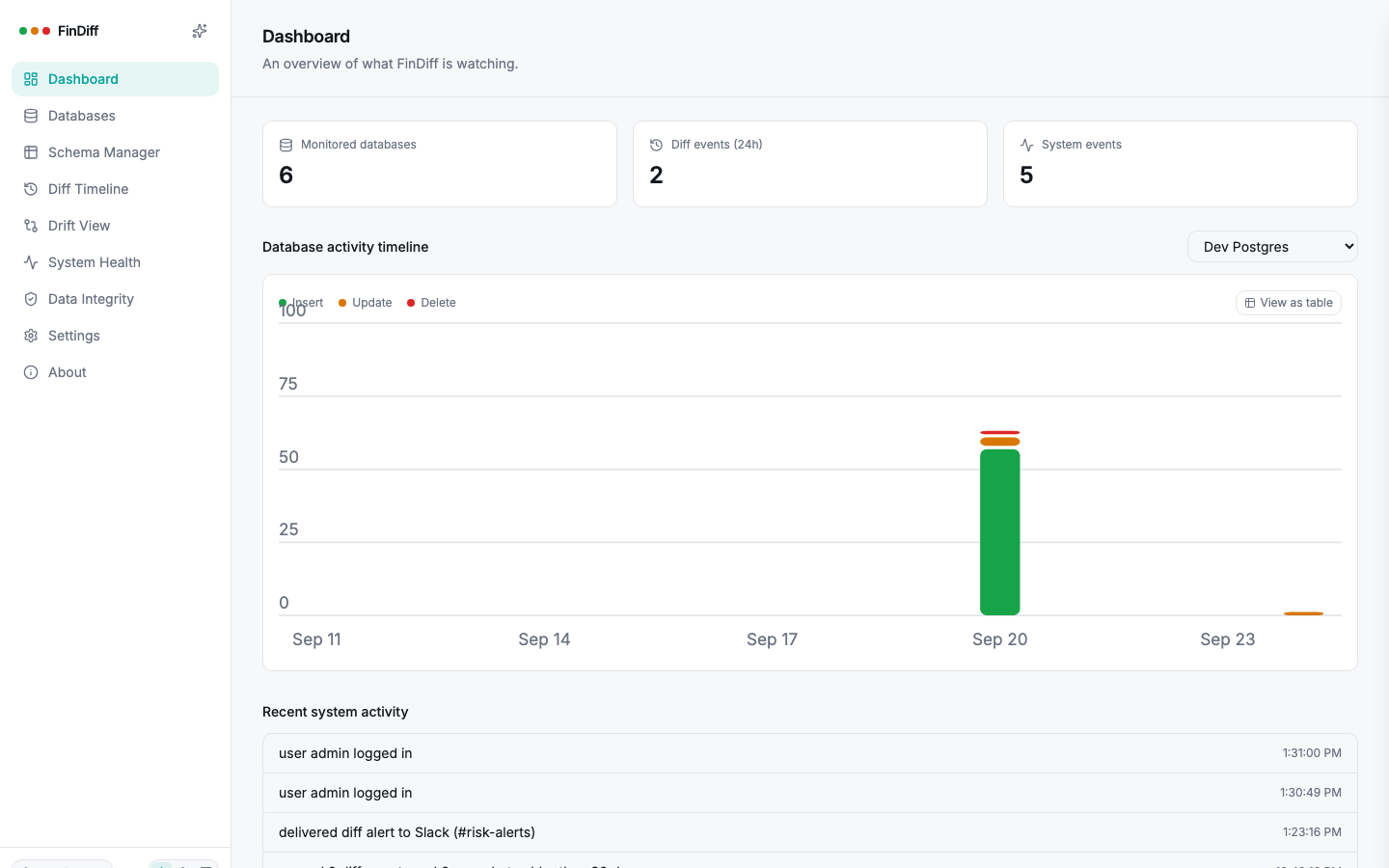
Dashboard
FinDiff dashboard with an activity chart and recent system events
Dashboard: activity chart, and a live feed of what FinDiff itself is doing
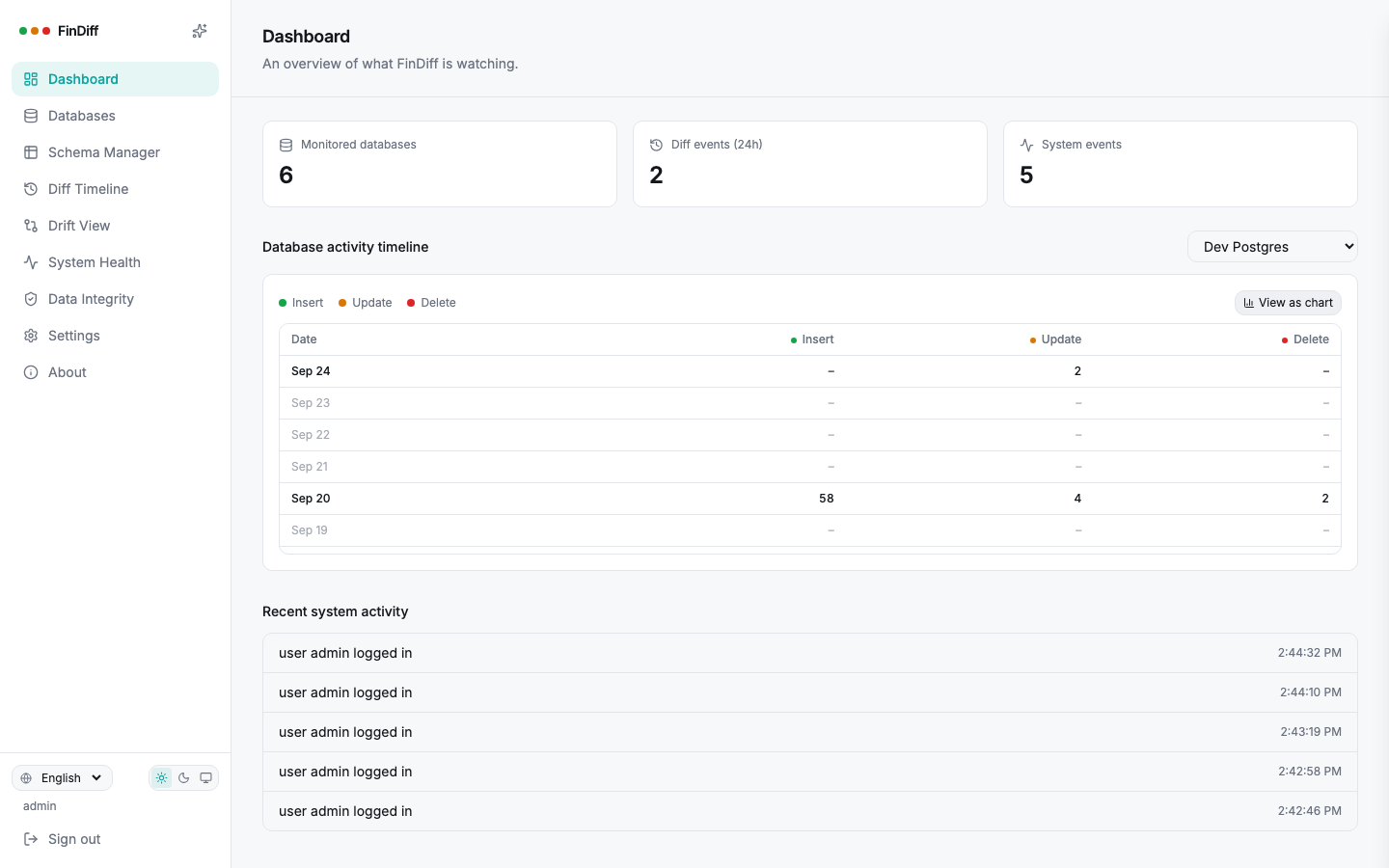
Dashboard, table view
Dashboard activity chart switched to a table view with exact counts
Same data, as exact numbers, one click away from the chart
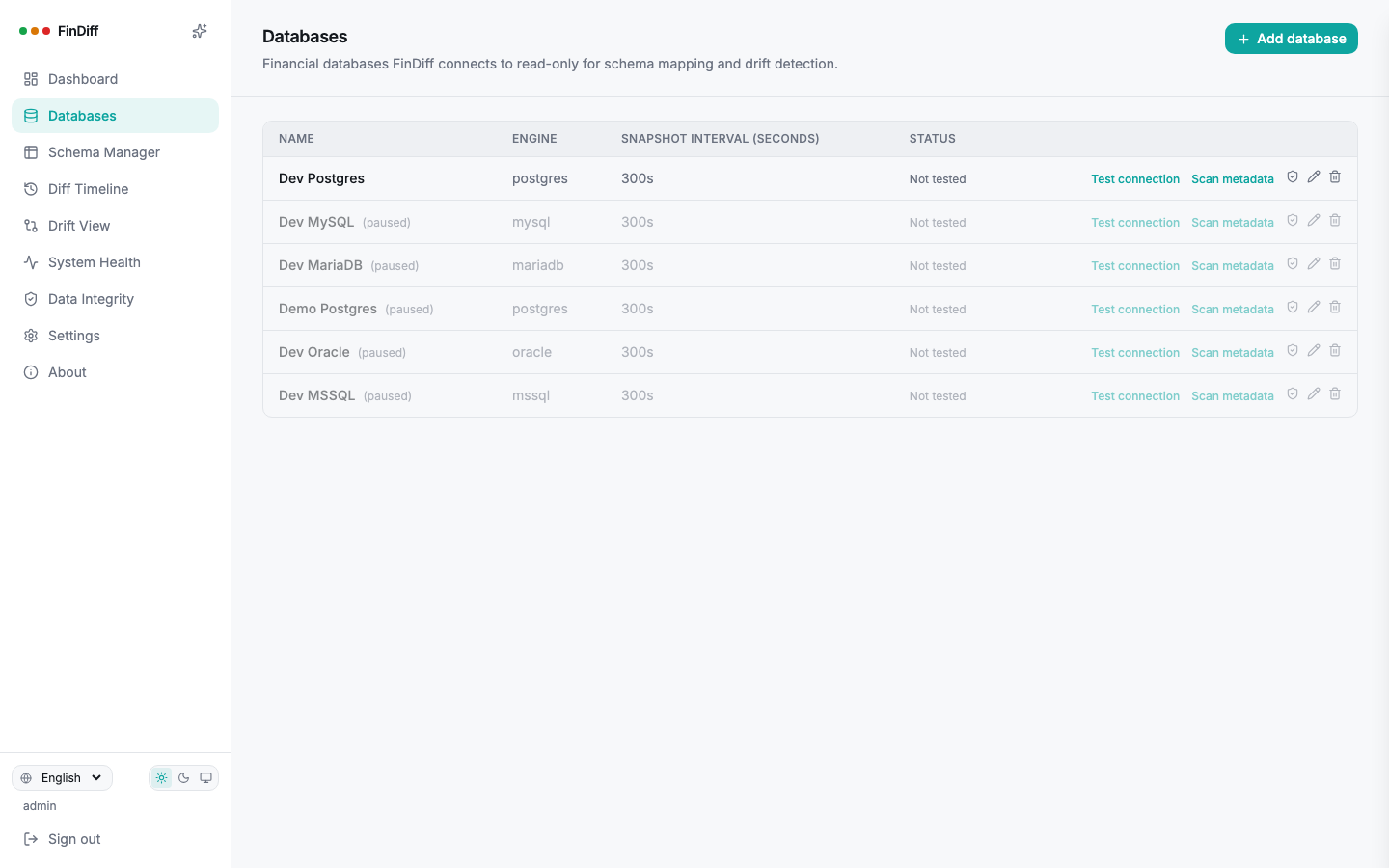
Databases
Databases page listing five engines
Every registered database, its engine, and its snapshot cadence
Table Groups
Tables organized into named business groups
Loan Origination, Risk & Compliance: tables grouped the way the business thinks about them
Drift View
Drift View comparing two Postgres environments
Drift View: two environments, compared table by table
System Health
System Health feed showing auth, webhook and adapter events
System Health: the whole app's diagnostic trail, not just data diffs
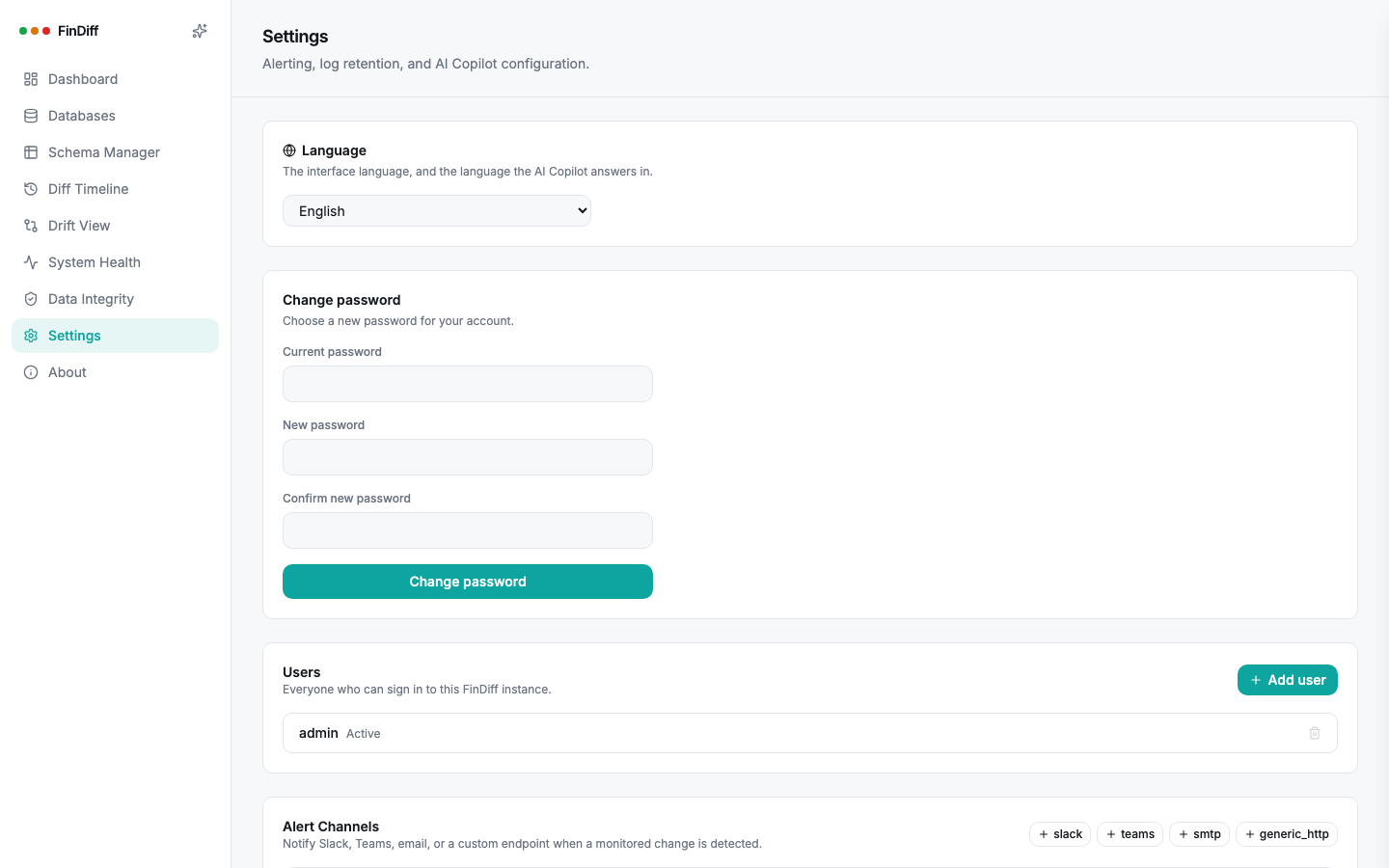
Settings
Settings page with users and alert channels
Users, alert channels, retention: all in one place
Sign in
FinDiff login screen
Self-hosted, read-only, your data never leaves this server
Get started

Running in under two minutes

One container, one environment variable that matters, no database migrations to run by hand. Optional settings for dumps, SSO and secrets are in the manual.

docker run
# pulls the official image and starts FinDiff on port 8080
docker run -d --name findiff \
  -p 8080:8080 \
  -e FINDIFF_MASTER_KEY="$(openssl rand -base64 32)" \
  -e FINDIFF_ADMIN_USERNAME=admin \
  -e FINDIFF_ADMIN_PASSWORD=change-this-immediately \
  -v findiff_data:/data \
  oubaidhl/findiff:latest

Open documentation, self-hosted forever

The community repository has the full README, deployment templates, and a Discussions board for questions, feature ideas, and bug reports. FinDiff ships as a versioned Docker image so every install is a tested build.